


A package editor is a program that is used to access, view, and modify the package files utilized by The Sims 2, The Sims 3 and The Sims 4. Package editors available to the public are third-party programs and unofficial software, thus they are unsupported by Electronic Arts. The most well-known package editors are SimPE, s3pe, and s4pe, for The Sims 2, The Sims 3, and The Sims 4, respectively. Though all three games utilize the same .package extension for files, the files are structured and formatted differently, and only a package editor for the correct game can view or modify the file.
SimPE
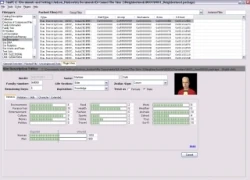

An example of an early version of SimPE.
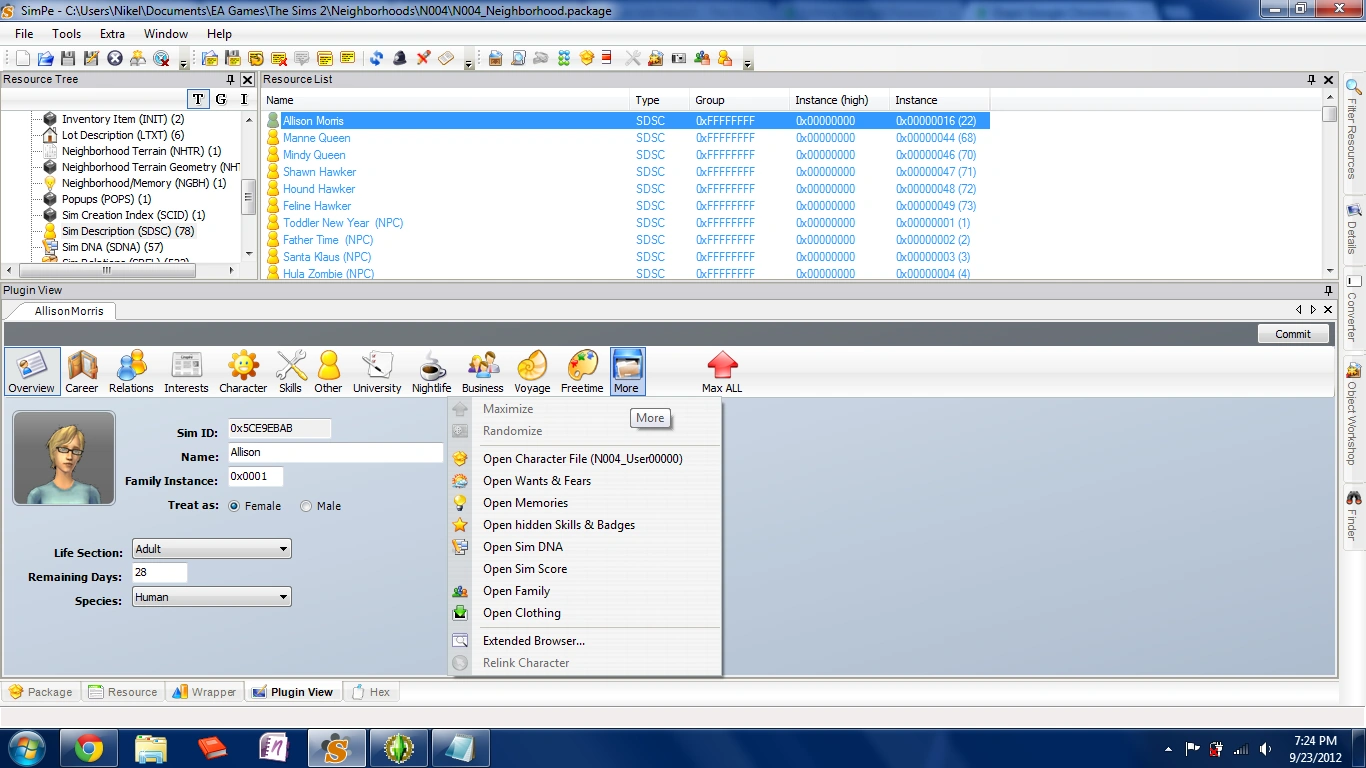

A screenshot of SimPE's Sim Browser.
SimPE is a third-party program which allows players to view (and often work with) the "package" files that The Sims 2 uses. It is compatible with The Sims 2, as well as all of its expansion packs and The Sims Stories series. It can be used for viewing and editing—and occasionally fixing—various things about the Sims themselves, though it can also work with objects, clothes, and meshes. It can be used to edit Sims' names. More advanced features allow players to add memories to Sims, change the family trees, and resurrect Sims that can't normally be resurrected with the Resurrect-O-Nomitron or other ways in-game. It can be used to clone objects and to extract resources from a "package" file, which makes it useful for creators of custom content.
SimPE will associate the .package extension with itself; with SimPE installed, .package files will be tagged as "DBPF Package" files. This allows players to easily open a .package file in SimPE. Players who have The Sims 3 and/or The Sims 4 in addition to The Sims 2 should note that all three games use the .package extension, but use different file formats. As such, SimPE will not be able to work with .package files from any newer games.
SimPE links
- SimPE - Chris Hatch
- SimPE Preservation project on MTS, which lists the most recent version of SimPE with links
- SimPE project page at SourceForge
- Direct download link for latest executable installer, at SourceForge.
s3pe
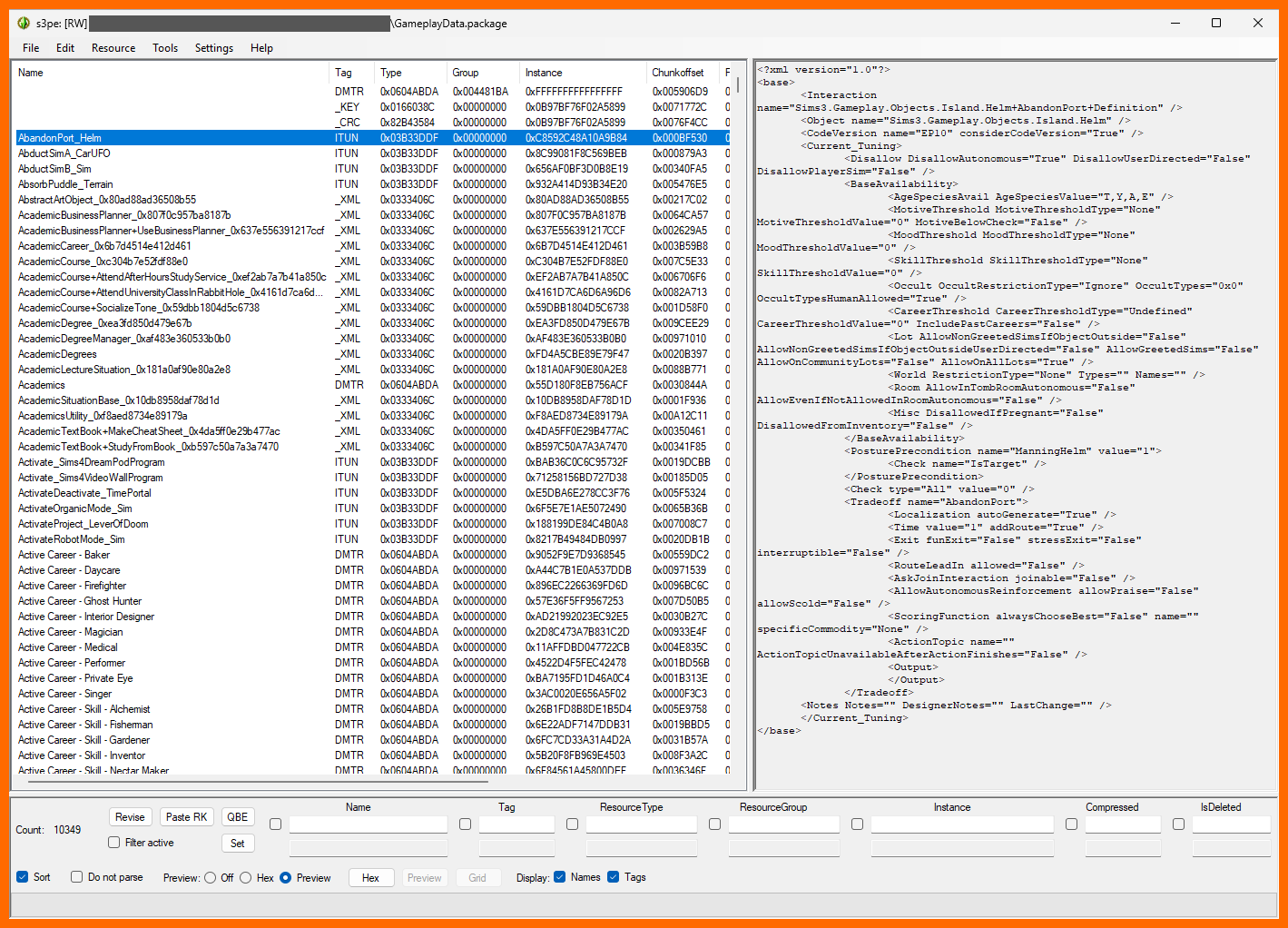

GameplayData.package opened in s3pe, with s3pe's file preview function shown as well.
As SimPE is not compatible with The Sims 3, another version called s3pe was developed. It is significantly smaller and more lightweight than SimPE for The Sims 2.
It allows users to import and export files within a package, so that files can be exported to a system folder, edited in a text editor (Sublime Text, Notepad, etc.), and then imported back into the package. S3PE also has a "Grid" option for in-package edits to the properties of various objects and clothes.
As of October 2025, its newest version (from 2017) can be downloaded from its SourceForge project page or with winget install pljones.s3pe . The version is functionally identical to the second-newest version from 2014 that can be downloaded from Simlogical.


- This section about The Sims 3 is in need of additional information. You can help The Sims Wiki by expanding this section.
NRaas Packer
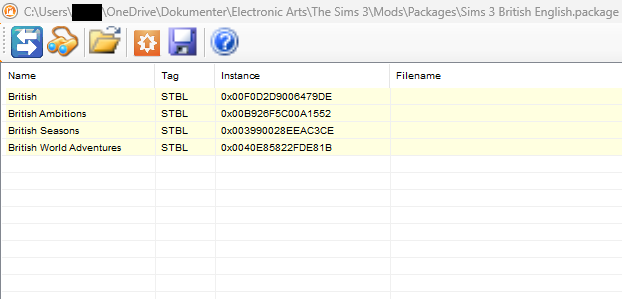

The basic main HUD when a mod has been loaded into it.
Designed specifically to import .txt files into STBL localization files, primarily to handle translations of The Sims 3 and of The Sims 3 game mods, but has very limited functionality otherwise.
- This section is in need of additional information. You can help The Sims Wiki by expanding this section.
s4pe
Shortly after the release of The Sims 4, a package editor called s4pe was released. It is based on s3pe and shares the same features as the former, with the only difference being compatibility with The Sims 4 package files.
- This section is in need of additional information. You can help The Sims Wiki by expanding this section.
The .package file format
Various files with the .package file format are included with, and are critically important parts of, The Sims 2, 3, and 4. They generally cannot be opened by text editors, no matter how advanced they may be, necessitating the software above. Game mods are very often also distributed in a .package file format.
By carefully searching for, copying over to a new .package file, and changing values and images in .package files, it is to varying extents possible to make so-called override mods that can hold quite extensive power of Sims' lives, including (but not at all limited to) changing lot opening hours, thunderstorm frequencies, spawner rates, entire HUD icon images, workhours, etc.
Sometimes, the .package files may also contain cut content that the game developers didn't delete before shipping the game, including early logos, alpha HUDs, codenames (e.g. how Luminorious Gem[TS3] was codenamed "Crazy" in the files), and deprecated events, moodlets, and interactions.
The Sims 3
For the most part, there are 3 tiers of critical .package files that are relevant to modding:
- GameplayData.package: A single file in the main Sims 3 installation folder, approx. 25 MB. The file is used to centralise various gameplay functions across all expansion packs.
- FullBuild(…).package: Covers game- or EP-specific content, e.g. objects and clothes. Sizes range from 600 MB to 1.2 GB, such that it takes practice to use S3PE's search functions with them without having S3PE crash and close. The base game has 3 FullBuild files (FullBuild0.package, FullBuild1.package, FullBuild2.package), while expansion packs have 1 or 2 each (The World Adventures file was named
FullBuildep1.package; later EPs' files used aFullBuild_p[0-2][0-9].packagepattern.) - DeltaBuild(…).package: The base game's DeltaBuild files cover content that is introduced in updates and/or expected to be used across multiple EPs, e.g. icons and logos. The base game has three such files ranging from 351 MB to 925 MB. Expansion packs' DeltaBuild files usually cover object indexing and range from 7 KB (Movie Stuff) to 98 MB (70s, 80s & 90s Stuff).
Within each package, there are almost always smaller files inside them that the packages consist of; those smaller files can only be seen or changed with the above-mentioned package editors. The smaller files' filetypes, contents, and abilities are grouped into "Tag" 4-letter codes, including:
- _XML: Regular XML text files. Usually used by the game to set numeric or name-based values for various situations, for example a percentage chance for something to happen to a Sim.
- ITUN: ".tuning" file. Usually used by the game to set the conditions for various Sim interactions to occur or not.
- IMAG: .png image files. Used by the game for logos, images, icons, buttons, and much more.
- _IMG: ".dds" image files (DirectDraw Surface). Usually used by the game for the textures of clothing, scenery, objects, and more.
- OBJD: Objects' data, especially where (or whether) they show up in Buy Mode / Build Mode / Edit Town, and their prices in §. Exporting such files from S3PE will result in near-unreadable hexadecimal, so editing such files should instead be done with the "Grid" button within S3PE.
- CASP: Create a Sim objects, especially where (or whether) they show up in specific categories.
- CSTR: Stairs, especially whether they show up in Build Mode or not.
- CWAL: Wall/tile/flooring types, especially where (or whether) they show up in specific wallpaper/tile categories in Build Mode.
- CRAL: Stair rails, especially whether they show up in Build Mode as individual selectable stair rails or not.
- CCFP: Build Mode fountain parts, especially whether they show up in Build Mode or not.
- CFEN: Build Mode fences, especially whether they show up in Build Mode or not.
- CRST: Build Mode roofs.
- CMRT: Build Mode roof colors.
- CFND: Build Mode foundation types.
- STBL: Text strings used for in-game text lines, whether it be the original (Usually English) texts of the games/mods, or for game translations.
- DMTR: Subcategories of wishes that a Sim can roll.
- _KEY: Each .package file usually has one (and only one) _KEY file in them, which list the "Instance" numbers of the other smaller files in that package.
- CLIP: Sound and/or animation effects.
- BBLN / BGEO / BOND / BONE : Additional info for the geometry of various "Create a Sim" objects and settings.
- _RIG / GEOM: Various other geometry settings.
Only one program can have access to a .package file at a time, which includes Sims 3 itself. It is therefore a pretty bad idea to have a .package file in the installation folder open in S3PE while opening the game, which will lead to objects being missing or replaced, and/or the game crashing at startup. Saving a world savegame under these circumstances is very much not recommended.
Doing it the other way around, to run The Sims 3 and then opening an installation folder .package file in S3PE, will cause S3PE to throw an error about not being able to read the file.
The best approach would be to ensure that both Sims 3 and S3PE aren't running, and then copying the .package file(s) to a different folder or hard disk, and then using S3PE to open the files from that folder.