
Calendar
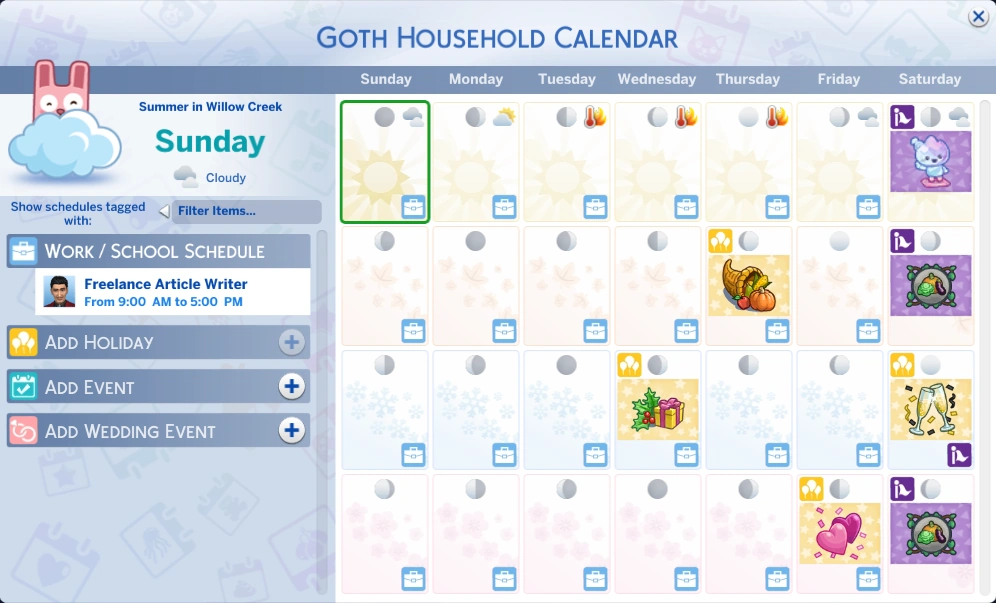
The complete calendar UI.
The calendar is a game mechanic in The Sims 4 that allows players to set dates for planned social events, which can be scheduled up to two weeks in advance. The calendar also showcases the work and school schedules of household Sims, birthdays, moon phases, festivals, seasons, holidays and weather. To access the calendar, click on the "Show Calendar" button underneath the active Sim's portrait in the bottom left corner of the screen.
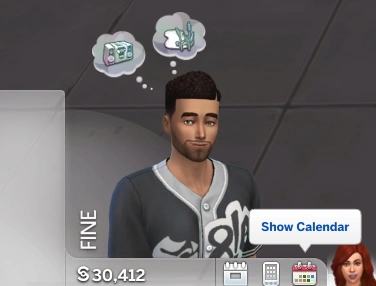

Where to find the calendar in live mode.
The calendar was originally a feature exclusive to The Sims 4: Seasons, but was later introduced into the base game in patch 115, with the release of The Sims 4: Cottage Living. Some improvements have been added to it, such as the ability to favorite and sort events, festivals and holidays.
Events
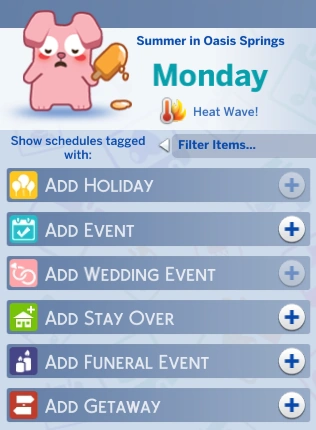

Various types of events that can be scheduled.
To schedule an event on a particular day, click one of the options on the left side of the calendar. Existing events can be edited or deleted, but events that are currently taking place can only be edited. Festivals will also appear in this section, but they can't be customized.
The available options for events are as follows:
- Add Holiday[TS4:S]
- Add Event
- More than one event can be scheduled on one day, but they must each have their own starting time. However, there can only be one goaled event per day.
- Customizable dates from The Sims 4: Lovestruck are scheduled here instead of having their own option in the list.
- Add Wedding Event[TS4:MWS]
- This option is specifically for customizable weddings from The Sims 4: My Wedding Stories. Base game weddings can be scheduled using "Add Event" instead.
- Add Stay Over[TS4:GTO]
- Add Funeral Event[TS4:L&D]
- Add Getaway[TS4:AA]
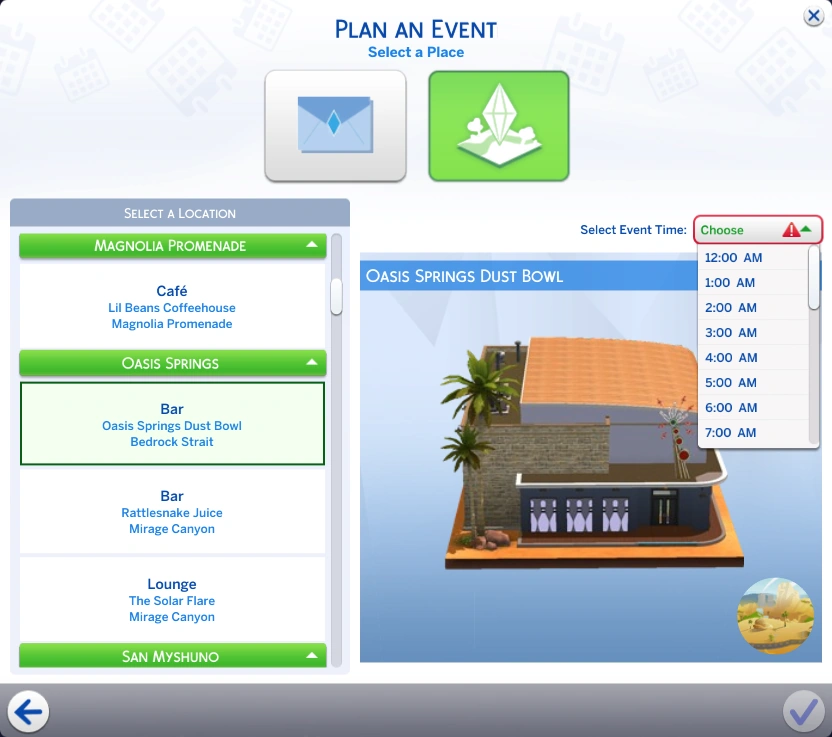

Where to find event time options.
When scheduling an event through the calendar, the player will have the option to choose its starting time. The time slots range from 12:00 AM to 11:00 PM. If an event is scheduled for the current in-game day, the time slots will start at the next available hour. For example, if the current time is 7:15 AM, the first available time slot will be 8:00 AM.
Events scheduled outside of the calendar (e.g. through a Sim's phone) start immediately.
Seasons
The duration of a season can be set to 1, 2 or 4 weeks. The default length is 1 week.[1] The first day of the week will always be Sunday. The number of days on the calendar depends on the season length. If the season length is set to 1 week (or Seasons is not installed), the calendar shows up to 28 days (4 weeks). With 2-week seasons, the calendar shows 8 weeks, and with 4-week seasons, 16 weeks (though only 4 weeks are visible at a time, with scrolling required to see the rest). Days from the ongoing week that have already passed are blank and uneditable, and as such, holidays for those days cannot be edited until the next week starts.
If the player does not have Seasons, every day on the calendar has the spring background.
Gallery


