


The Launcher
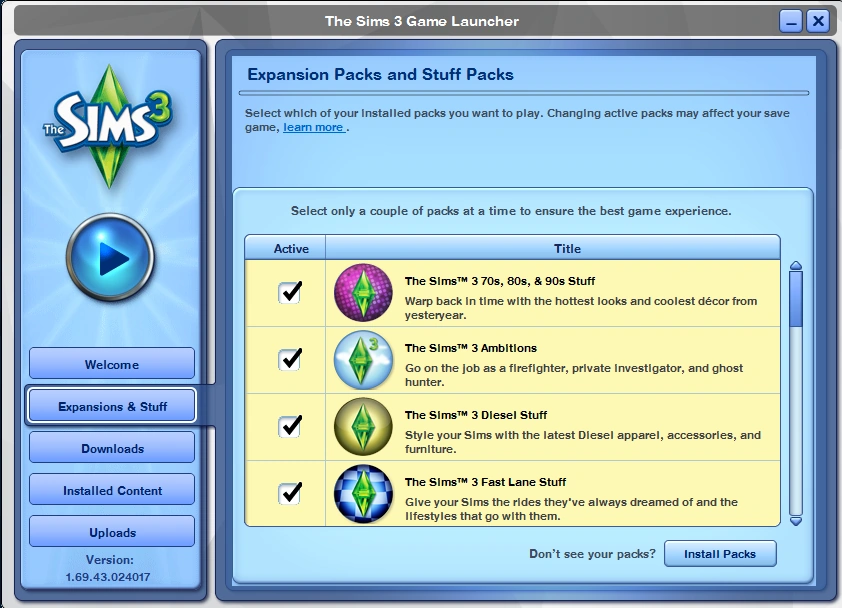
The Sims 3 launcher showing expansion and stuff packs manager before starting the game.
The Launcher serves to present news related to the game and alert the player about game updates.
The Sims 2
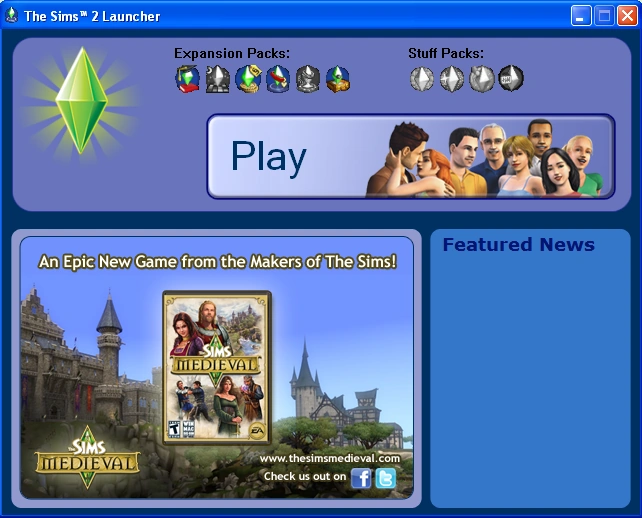

Launcher of The Sims 2 in 2011.
The Launcher first appeared in Bon Voyage and Teen Style Stuff. It is not present in the base game, or in expansion packs up to and including Seasons. The executable for the Launcher may be present if stuff packs released after Bon Voyage and Teen Style Stuff are installed. However, unless Mansion & Garden Stuff is installed, that should not be an issue if Seasons is the latest expansion pack installed, as stuff packs prior to Mansion & Garden Stuff are based on either Open for Business or Pets.
The Launcher will also be present if The Sims 2 University Life Collection, The Sims 2 Best of Business Collection, The Sims 2 Fun with Pets Collection or The Sims 2 Double Deluxe has been installed, and if the compilation disc and shortcut are used to start the game.
The Launcher has been removed from The Sims 2: Ultimate Collection,[1] however, it is still present in The Sims 2: Super Collection but it is actually a launcher made by Aspyr Media for all Aspyr games released on the Mac App Store. All three Mac App Store re-releases of The Sims Stories games are also affected by this change.
Since 2013, following the closure of TheSims2.com site, both the news and promotions panes are no longer displayed, and the Launcher will have a shorter look, with only the "Play" button and the icons of installed expansions. The site will still remain displayed near the Play button.
Avoiding the Launcher in The Sims 2
The Launcher can be avoided by starting the game directly from the executable. This can generally be done by right-clicking on the shortcut used to start the game, selecting Properties, and editing the textbox labeled "Target:" so that "Sims2Launcher.exe" is replaced by the filename of the game's executable file. For an illustrated guide on how to do this, see this page at ModTheSims.
In general, the executable that is used to start the game will be in the same folder as the Launcher. However, this may not be the case if the disc and shortcut for one of the compilations is used to start The Sims 2.
| Expansion or stuff pack | Filename of executable |
|---|---|
| Bon Voyage | Sims2EP6.exe |
| FreeTime | Sims2EP7.exe |
| Apartment Life | Sims2EP8.exe |
| Mansion & Garden Stuff | Sims2EP9.exe[2] |
Compilations and the Launcher
The Sims 2 Double Deluxe, The Sims 2 University Life Collection, The Sims 2 Best of Business Collection, and The Sims 2 Fun with Pets Collection all include the Launcher.
- The Sims 2 Double Deluxe
The Sims 2 Double Deluxe includes the base game, The Sims 2: Nightlife, and The Sims 2: Celebration! Stuff, and the player cannot decide which parts to install. Since Celebration! Stuff is based on Open for Business, it can be assumed that its executable (Sims2SP4.exe) will be used to start the game unless the player has a later stuff pack, or an expansion pack later than Open for Business. This file should be located here:
EA Games\The Sims 2 Double Deluxe\SP4\TSBin
- The Sims 2 University Life Collection
The Sims 2 University Life Collection contains The Sims 2: University as well as The Sims 2: Teen Style Stuff and The Sims 2: IKEA Home Stuff, and the player can decide which ones to install. The paths to the executable files should be
University:
EA Games\The Sims 2 University Life Collection\EP1\TSBin\Sims2EP1.exe
Teen Style Stuff:
EA Games\The Sims 2 University Life Collection\SP6\TSBin\Sims2SP6.exe
IKEA Home Stuff:
EA Games\The Sims 2 University Life Collection\SP8\TSBin\Sims2SP8.exe
Both stuff packs are based on the Pets expansion pack, so neither Sims2SP6.exe nor Sims2SP8.exe will be used if a later expansion pack is installed. Sims2EP1.exe will only be used if no Packs other than University are installed.
- The Sims 2 Best of Business Collection
The Sims 2 Best of Business Collection contains The Sims 2: Open for Business as well as The Sims 2: H&M Fashion Stuff and The Sims 2: Kitchen & Bath Interior Design Stuff, and the player can decide which ones to install. The paths to the executable files should be
Open for Business:
EA Games\The Sims 2 Best of Business Collection\EP3\TSBin\Sims2EP3.exe
H&M Fashion Stuff:
EA Games\The Sims 2 Best of Business Collection\SP5\TSBin\Sims2SP5.exe
Kitchen & Bath Stuff:
EA Games\The Sims 2 Best of Business Collection\SP7\TSBin\Sims2SP7.exe
H&M Fashion Stuff is based on Open for Business while Kitchen & Bath Stuff is based on the Pets expansion pack, so none of the executables in this compilation will be used if The Sims 2: Seasons or later is installed.
- The Sims 2 Fun with Pets Collection
The Sims 2 Fun with Pets Collection contains The Sims 2: Pets as well as The Sims 2: Family Fun Stuff and The Sims 2: Mansion & Garden Stuff, and the player can decide which ones to install. The paths to the executable files should be
Pets:
EA Games\The Sims 2 Fun with Pets Collection\EP4\TSBin\Sims2EP4.exe
Family Fun Stuff:
EA Games\The Sims 2 Fun with Pets Collection\SP1\TSBin\Sims2SP1.exe
Mansion & Garden Stuff:
EA Games\The Sims 2 Fun with Pets Collection\EP9\TSBin\Sims2EP9.exe
- This executable will be used if Fun with Pets was used to install Mansion & Garden Stuff.
Family Fun Stuff is based on Open for Business. Sims2SP1.exe will not be used if any later stuff pack is installed, or if Pets or later is installed. Sims2EP4.exe will not be used if The Sims 2: Seasons or later is installed, and may not be used if Teen Style Stuff, Kitchen & Bath Stuff, or IKEA Home Stuff is installed.[confirmation needed]
The Sims 2: Super Collection
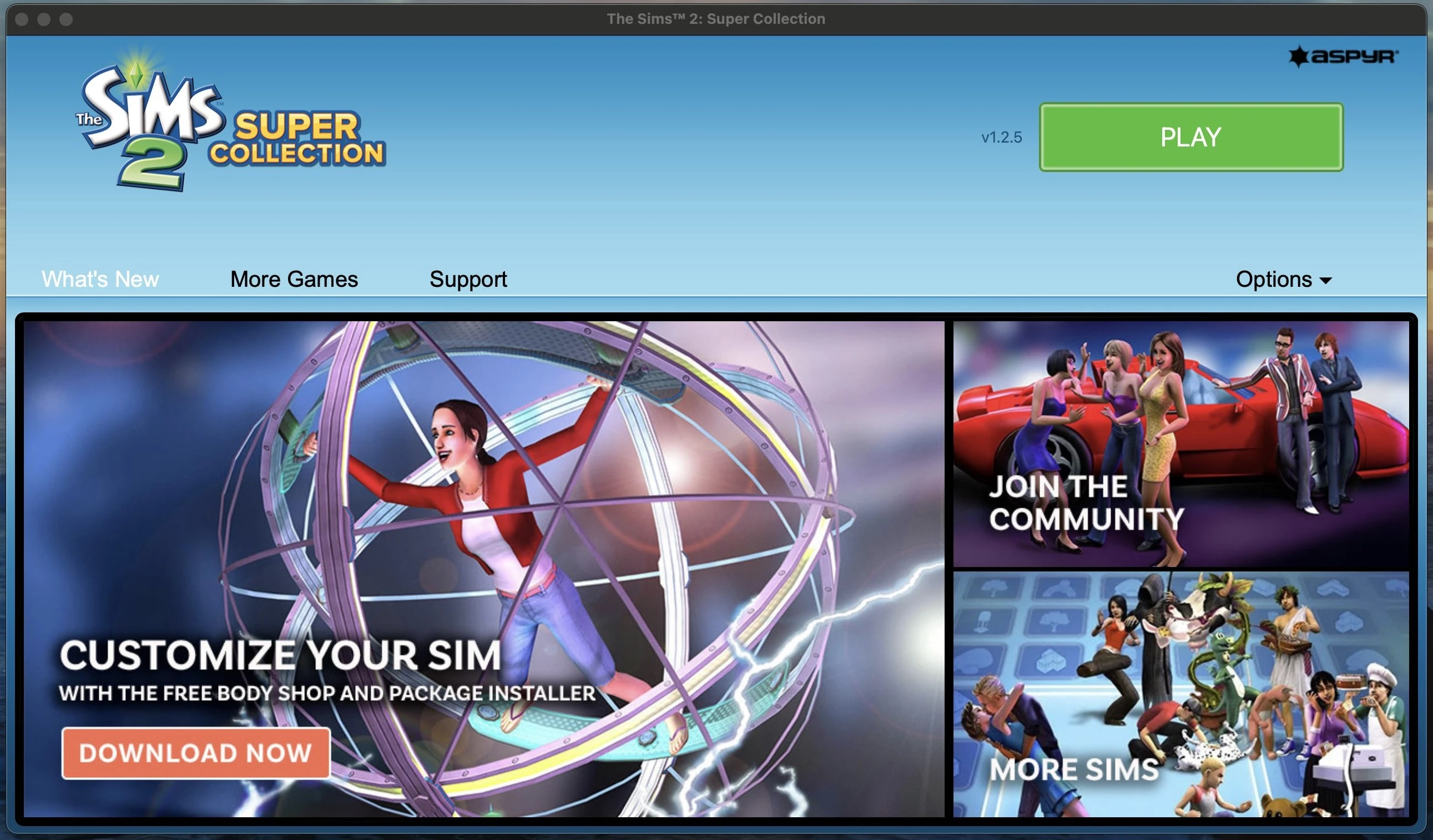

Launcher of The Sims 2 Super Collection.
The Sims 2: Super Collection for macOS uses a different launcher compared to its PC counterpart.[3] The launcher offers links to the macOS version of the Body Shop and other tools, and contains links to support pages related to the game.
The Sims 3
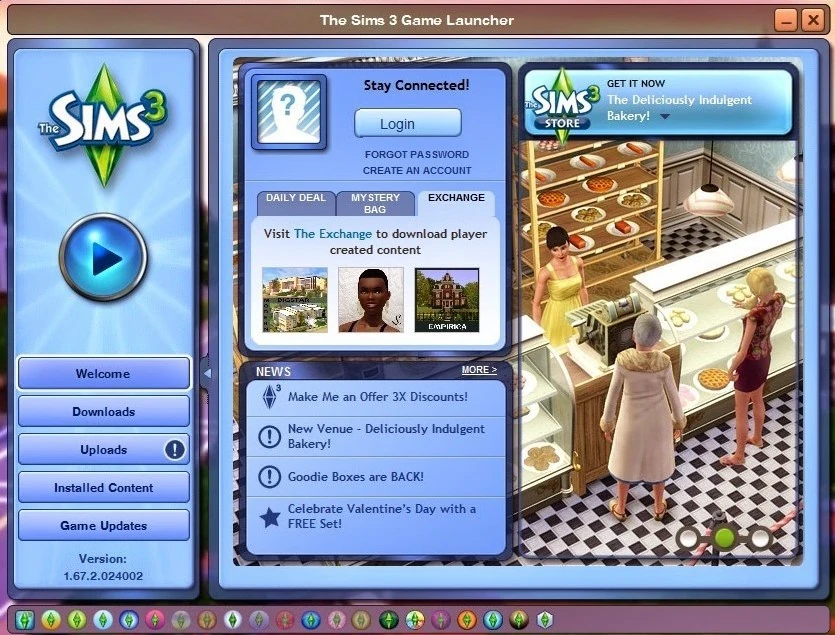

The Sims 3 Launcher before the 1.69 update.
The Sims 3 launcher enables the player to install and upload .sims3packages, see their installed content, upload their screenshots, and view the game version. Prior to Patch 69, the launcher connected to Origin (formerly EA Download Manager) to check for updates and download them if needed. The Steam version of The Sims 3, and the Origin version after patch 1.69 release omits the ability to install game updates via the launcher as they are handled by their respective client. Also, players are able to download custom launchers from 3rd party sites such as Mod The Sims.
Criticism
The launcher and the .sims3package format has been criticized by some community creators as it is slow and can potentially mess up packages.
Avoiding the Launcher in The Sims 3
To fully avoid the launcher, the player needs to cover its functionality by other means:
- Start the game directly from its executable.[4]
- Download and install patches manually. (See The Sims 3 patches)
- Use a user created tool to install .sims3packages, see below for suggestions.

Expansion and Stuff Packs Manager
Patch 69 added Expansion and Stuff Packs Manager to the launcher. It enables the ability to disable installed packs without uninstalling them.
Similar Sims 3 tools
- TS3 Install Helper Monkey by Delphy at ModTheSims.
- More tools
The Sims Medieval
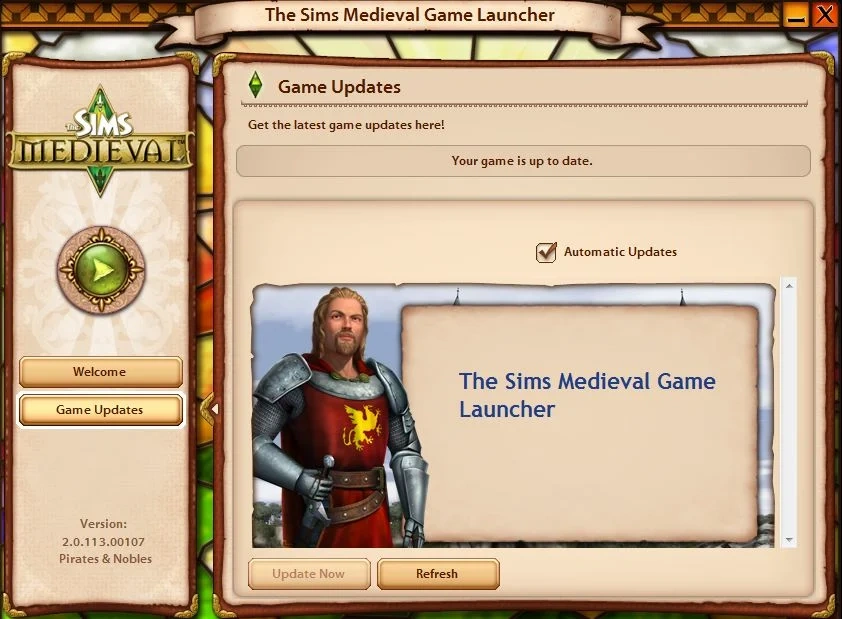

The Sims Medieval Launcher with Pirates & Nobles installed.
Unlike its The Sims 3 counterpart, the launcher for The Sims Medieval is very limited. It can only be used to check for updates, and see news related to The Sims series on its Welcome page. It also displays the game version.
A game update was released for the digital version of The Sims Medieval on November 16, 2016, which removed the launcher from the game.[5] Attempting to open the launcher from the in-game menu after this update causes the launcher to appear in a broken state which does not function correctly.
The Sims 4
Unlike previous games, The Sims 4 does not include a launcher with the game. All launcher-related functionality (news, game updates, etc.) is provided by the EA App (on PC) or Origin (on macOS). Console versions of the game use PlayStation and Xbox's built-in patching features.
See also
External links
References
- ↑ Sims Community - The Sims 2 Ultimate Collection - Info & Facts
- ↑ The Sims 2: Mansion & Garden Stuff is referenced as an expansion pack, even though it's a stuff pack.
- ↑ Photo posted on Twitter
- ↑ C:\Program Files\Electronic Arts\The Sims 3\Game\Bin\TS3W.exe by default.
- ↑ Sims Medieval gets a new Update!