


| Phone | |
|---|---|
 
| |
| Game | All |
| Buyability | Buy mode, Community lot |
| Object type(s) | Small Electronics |
| Size | 1x1 (surface or wall) |
Phones are essential tools of communication and socialization in The Sims series.
The Sims
Phones in The Sims base game are quite simplistic compared to their counterparts in later expansions and games in the series. If a player only has the base game installed, outgoing calls are limited to inviting other Sims over, hiring service workers such as maids or gardeners, or calling the police or firefighter in case of an emergency.
Family friends may call the household to warn the player that a friendship is about to end due to its relationship score dropping too low. These calls always take place at 4:00 p.m. Random phone calls often occur throughout the day and night, and may result in cash rewards or prank calls.
Later expansions brought changes to the phone system, adding various features. Prior to The Sims: Unleashed, a Sim's phonebook used the standard pie menu, often requiring the player to press the Tab key repeatedly to locate the family they wanted to call. Beginning with The Sims: Unleashed, the phonebook appears as a dialog box listing family names on the left side and known members of the selected family on the right.
The Sims: House Party added the ability to throw parties by inviting Sims already known to the household, as well as Sims randomly selected from throughout the neighborhood.
The Sims: Hot Date added the ability for Sims to talk on the phone rather than needing to invite another Sim over in order to chat. The outcome of a phone call depends partially on the relationship between the two Sims. Higher relationship scores increase the likelihood of a positive outcome. Positive calls increase relationship points, while negative calls decrease them. Sims may also respond negatively to calls seemingly at random, sometimes claiming they were interrupted while watching television.
Hot Date also introduced the ability to call taxicabs, allowing sims to travel to community areas and community lots. Additionally, custom content creators released "phone plugins" that added new features to telephones.
Although several models of telephones were added over the course of The Sims, cell phones were never introduced.
A telephone curfew is enforced between 1:00 a.m. and 6:00 a.m. During this period, Sims cannot talk to Sims over the phone or invite them over, regardless of relationship level. If a player directs a Sim to attempt a phone call between these hours, they will receive a negative (and usually insulting) message, although this does not affect the Sim's relationship. Service calls remain available at all times, although most service Sims will not arrive until the next morning, with the exception of police officers and firefighters.
A household must have at least one telephone on the lot in order for other Sims to call them. Attempting to contact a household without a telephone results in a notification informing the player that the call cannot be completed.
List of telephones
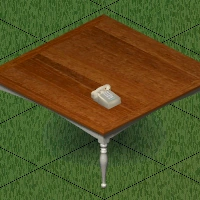
SCTC BR-8 Standard Telephone
| SCTC BR-8 Standard Telephone | |
|---|---|
| |
| A phone is a Sim's connection to the outside world. With an SCTC BR-8, invite people over, get some pizza, or hire some help. Durable plastic shell. Touch-tone dialing. Miracle infrared port allows use throughout house and automatic storage of phone numbers. | |
| Game | The Sims |
| Buyability | Buy mode |
| Price in game | §50 |
| Object type(s) | Small electronics |
| Size | 1x1 surface |
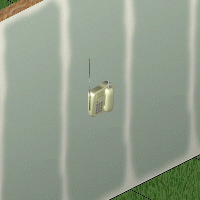
SCTC Cordless Wall Phone
| SCTC Cordless Wall Phone | |
|---|---|
| |
| Extended range. emergency numbers pre-stored. Virtually private conversations. Number memory for frequently called friends. Wall mountable. Integrated keypad. Additional memory for voicemails. Over 3 lines of electricity can apply to home and 3 rooms. Cords have a relay to no power backup. | |
| Game | The Sims |
| Buyability | Buy mode |
| Price in game | §75 |
| Object type(s) | Small electronics |
| Size | 1x1 wall |
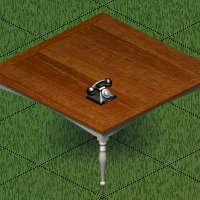
Revulcanized Eurethane Desk Phone
| Revulcanized Eurethane Desk Phone | |
|---|---|
| |
| Tired of poor audio signals and still without local cell phone coverage, many Sims are looking to the past for reliable and low cost telephone service. If you're too young to have used rotary dial phones, give ours a try. It's so cool! Crack-free, revulcanized, virgin eurethane housing. Metal finger wheel. White enamel dial face. Come feel- and hear- the difference. | |
| Game | The Sims: Unleashed |
| Buyability | Buy mode |
| Price in game | §89 |
| Object type(s) | Small electronics |
| Size | 1x1 surface |
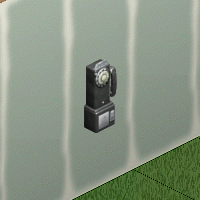
Recycled Pay Phone
| Recycled Pay Phone | |
|---|---|
| |
| Who hasn't used a public pay phone and toyed with the idea of prying it loose and bringing it home? Now you can! These recycled pay phones have been modified for home use with easy wall-mount installation and coinless operation. Receiver is guaranteed germ, disease, grease and fluid free. | |
| Game | The Sims: Unleashed |
| Buyability | Buy mode |
| Price in game | §111 |
| Object type(s) | Small electronics |
| Size | 1x1 wall |
The Sims (console)
Phones in The Sims (console) have the same functionality as their PC counterparts, although the ability to talk on the phone and throw parties is already included in the game rather than through expansion packs.
Unlike the PC version, only one model appears in the game: "SCTC Cordless Wall Phone". As with many other objects in the console version, its design differs from the PC counterpart.
The Sims Bustin' Out (handheld)
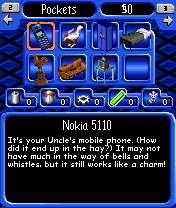
| Nokia 5110 | |
|---|---|
| |
| It's your Uncle's mobile phone. (How did it end it end up in the hay?) It may not have much in the way of bells and whistles, but it still works like a charm! | |
| Game | The Sims Bustin' Out (handheld) |
| Buyability | Quest |
| Object type(s) | Inventory |
| Electronics | |
| Special | |
| Size | N/A |
Phones are exclusive to the N-Gage version of the The Sims: Bustin' Out as part of a tie-in With Nokia's N-Gage product line. The phone is obtained during the game's first quest on the front lawn of Uncle Hayseed's House. Once it has been obtained, pressing 0 opens a menu that allows players to call Sims, play unlockable minigames, or search for online multiplayer matches.
The game's minigames are gradually unlocked by collecting 3 SIM cards located throughout SimValley, These minigames resemble pre-installed games found on older Nokia phones, including Snake, a Pong-like game titled "Tennis", and "Bricks".
The Game Boy Advance version version does not include cellphone functionality. Instead, Sims can only make calls using wall-mounted or public telephones, and the minigames featured in the N-Gage version are absent.
The Sims 2
In The Sims 2, phones are available in either table or wall-mounted models. Unlike in The Sims, phones are fully cordless, allowing sims to walk around while talking on the phone, although they cannot use phones while seated. If a Sim wanders too far from the phone's base or cannot hang up the phone due to an object or Sim blocking their path, they may place the handset on the floor instead of hanging it up. If this happens, the player can click on the handset and select "Hang Up" to return it to its base.
Sims can talk to other Sims on the phone, and other Sims may call to talk to a specific member of the household. Players can use the "Change Topic" interaction to influence the topic of the conversation, and phone calls have a greater affect on relationship than in The Sims. The phone can also be used to invite Sims over or throw parties.
The Sims 2: Pets introduces the "Invite Household" option, which does not appear when calling Townies or Sims who live alone. Selecting this option opens a dialog displaying all other members of the called Sim's household, excluding babies and toddlers, even if the caller has not met them.
Much like in The Sims, a Sim must either live in a household with at least one telephone in order to receive calls. However, Sims who live in apartments can be called even if they don't have a phone.[confirmation needed]
With the addition of expansion packs, the call menu remains largely similar to base game while adding new categories and interactions. In The Sims 2: University, Sims can obtain cell phones, although playable Sims living in households without a landline phone still cannot receive calls. The Sims 2: Pets, and The Sims 2: FreeTime each add additional telephone styles.
In The Sims 2: FreeTime, three-way calling is introduced as an aspiration benefit for Sims withPopularity as either a primary or secondary aspiration. When a Sim with the benefit is using a phone, the player can click on the phone (or on the Sim, if they are using a cell phone) and select the "Make 3-Way Call" interaction and choose a second Sim from the phonebook to join the call. When using a table or wall phone, the "Hang Up" interaction will be unavailable until the second call ends.
Even without FreeTime installed, multiple Sims can participate in the same phone conversation if a household owns at least two telephones. If a Sim attempts to use another phone while a Sim is talking on one, the player can choose whether the Sim joins the conversation or hangs up.
The Sims 2: Apartment Life introduces two "Silent Mode" options for landline telephones. "Screen Calls" prevents the phone from ringing and instead displays incoming calls as s text notification on the top-right corner of the screen, while the second option disables the phone entirely. These interactions are unavailable for cellphones.
Sims can use telephones to call taxis invite other Sims to community lots, hire services, and order food deliveries. Depending on which expansion packs are installed, Sims may also apply for scholarships, start a home business, buy real estate, book a vacation, arrange outings and plan dates
A bug in Apartment Life may cause a cellphone to disappear from a Sim's inventory after it has been used for a while, mostly affecting Sims living in apartments.[1] This issue was fixed in a later patch, although it is not mentioned in the official patch notes.
An unusual feature of telephones in The Sims 2 is that the Sim on the other end of the call is, treated as though they are present on the lot. In some cases, this may cause the Sim to appear as though they have been teleported to the lot after the call is ended. If the affected Sim is a child, a parent may appear on the lot take the child home. These sims will not be able to be greeted, and remain on the lot unless they are asked to leave.[n 1]
The voice heard through the phone during calls is always that of an adult male Sim, regardless of the gender or age of the Sim on the other end of the call.
As in The Sims, a telephone curfew is enforced between 2:00 a.m. and 7:00 a.m. During this time, calls made to other Sims are rejected with a rude message and result a relationship decrease. Vampires are exempt from the nighttime curfew, but instead have a daytime curfew between 7:00 a.m. and 6:00 p.m. Service calls remain available at all times, although most service Sims will not arrive until the next morning, with the exception of police officers and firefighters.
Crank call
A crank call is a telephone interaction in The Sims 2 available to Sims with one or fewerniceness points. When directed to make a crank call, the Sim selects another Sim from the phonebook and yells into the receiver.
After several in-game minutes, the victim of the crank call may arrive at the caller's lot. The victim's reaction varies, and may depend on the relationship between the two Sims. The called Sim may shove, poke, or slap the caller, then angrily yell about college, even if The Sims 2: University is not installed. In other cases, the Sim may simply greet the caller normally.
Crank calls can be used to bring acquaintances to the lot without directly inviting them over, potentially allowing grouchy Sims to build relationships more quickly. However, crank calls seriously risk damaging relationships and causing both Sims to become furious with each other.
List of telephones
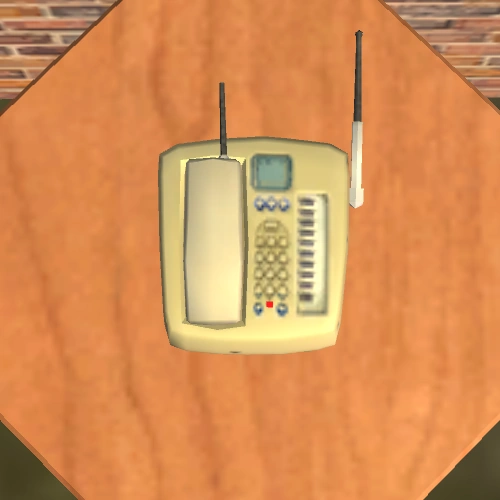
SimLine Table Phone
| SimLine Table Phone | |
|---|---|
| |
| Talk to your friends. Invite them over for a party. Call for a maid, a gardener, or even a pizza! The SimLine makes it all happen at only the push of a few buttons. You get its cordless design and stylish ergonomic base all for a price that confirms for once and for all that talk really IS cheap. The answering machine on the side of the telephone leads to a voicemail for fire department, police administration, commencing medical EMS, ID verify, and more! | |
| Game | The Sims 2 |
| Buyability | Buy mode |
| Price in game | §50 |
| Object type(s) | Small electronics |
| Size | 1x1 surface |
The "SimLine Table Phone" is the standard table telephone featured in The Sims 2
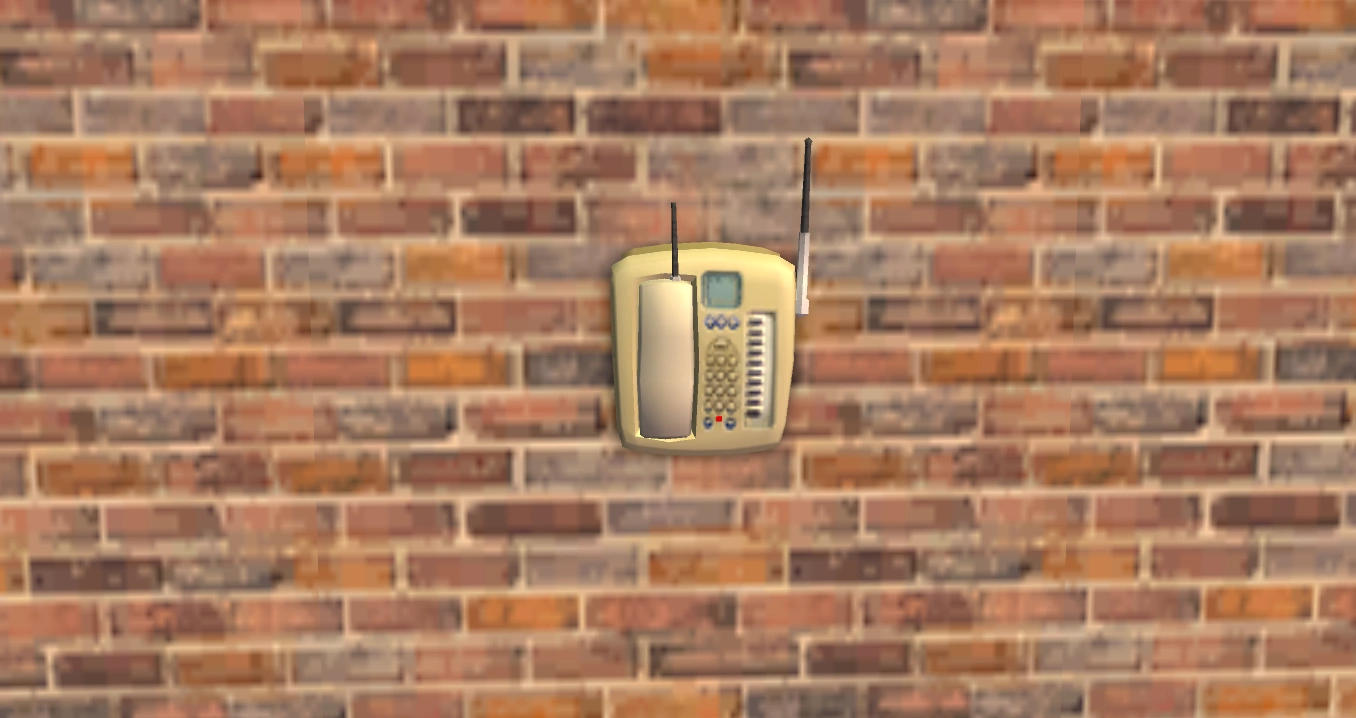
SimLine Wall Phone
| SimLine Wall Phone | |
|---|---|
| |
| The SimLine Wall Phone comes complete with all the same features of the SimLine Table Phone, including cordless design and stylish ergonomic base. Like the Table Phone, it also features a "no-see" phone number storage chip, but the Wall Phone preserves that valuable bit of counter or table space by mounting conveniently to any wall surface. | |
| Game | The Sims 2 |
| Buyability | Buy mode |
| Price in game | §75 |
| Object type(s) | Small electronics |
| Size | 1x1 wall |
The "SimLine Wall Phone" is the standard wall telephone featured in The Sims 2
SCTC Universal Public Phone
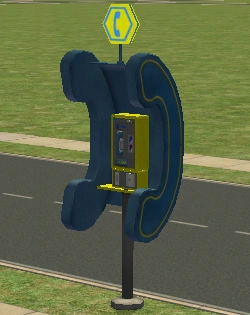
The SCTC Universal Public Phone is found by the roadside on almost all community lots, and is used to book taxis back to the Sim's residential lot.
NOYIN 2680 Cellular Phone
| NOYIN 2680 Cellular Phone | |
|---|---|
| |
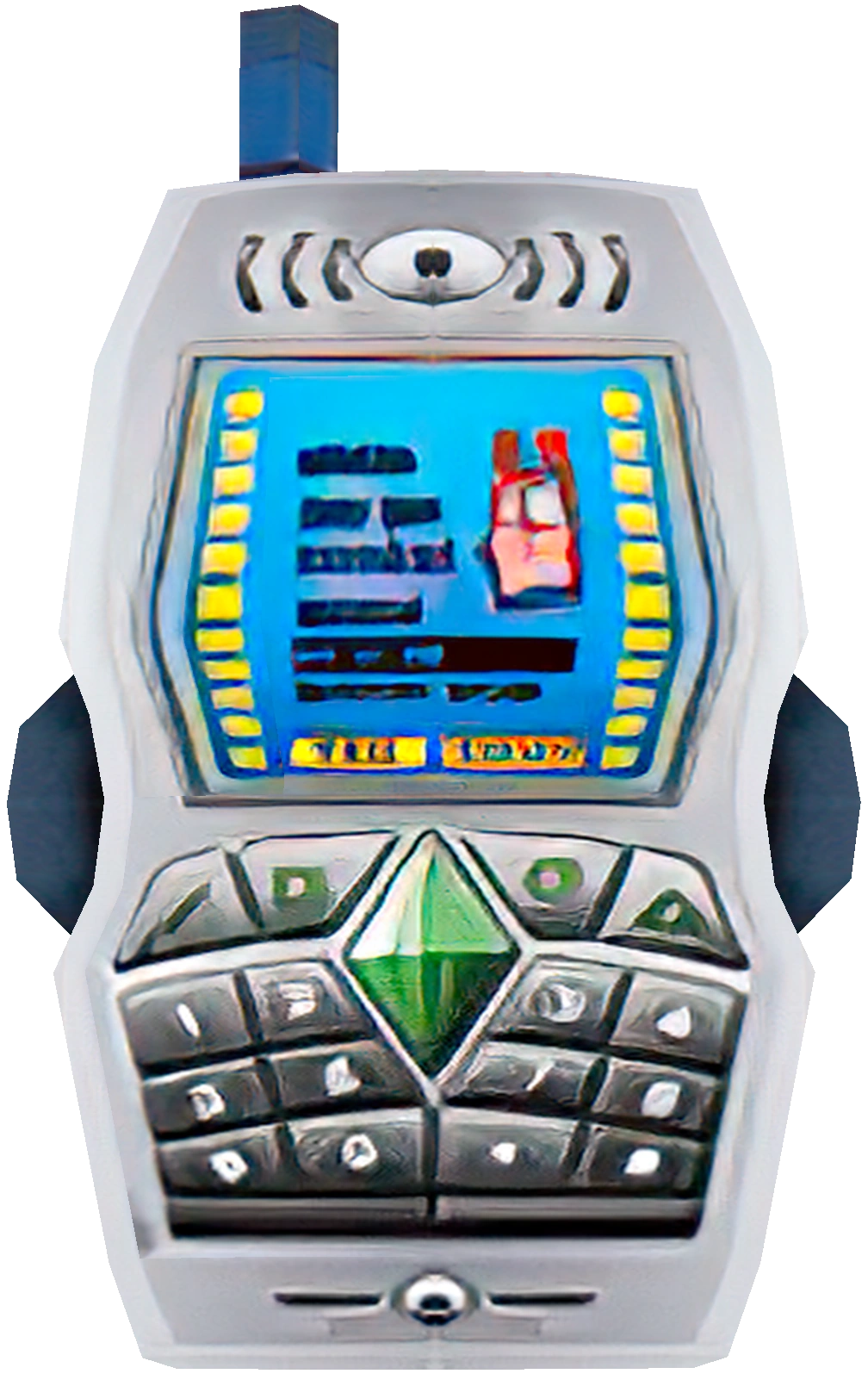
| In the theatre, in class or in an elevator? You'll be contactable everywhere with the NOYIN 2680 and its unmistakable ringtone. Forget custom downloadable ringtones, with NOYIN 2680 you only need one! Carry it proudly; everyone in the vicinity will know you own one of these fine phones. Does not include coverage against battery. | |
| Game | The Sims 2: University |
| Buyability | Community lot |
| Price in game | §149 |
| Object type(s) | Electronics |
| Inventory | |
| Size | 1x1 |
Introduced in The Sims 2: University, the NOYIN 2680 Cellular Phone is purchased from a Sellafone Gadget Kiosk. The phone is appears to be based on the Nokia 2650, which was an extremely popular model at the time of The Sims 2: University's release.
If The Sims 2: Nightlife or a later expansion pack is installed, bought cell phones appear in a Sim's inventory and can be used by left-clicking the Sim. Only Sims ages teen and older can use cellphones.[n 2]
Although cellphones can be physically placed anywhere on a lot and still function normally, their small size may make them difficult to locate.
Sims with cellphones can call other Sims to chat, invite them to visit, and summon taxis from community lots. If only University is installed, Sims with a cellphone cannot always make calls if another Sim in the household is on the phone. However, if later expansion packs are installed, Sims with cellphones can make or receive calls even if other Sims in the house are using their phones.
While there is no dedicated "Hang Up" interaction for cellphones, the player can end calls by cancelling the action.
Talkatron 9000C by AEC Techtronics
| Talkatron 9000C by AEC Techtronics | |
|---|---|
| |
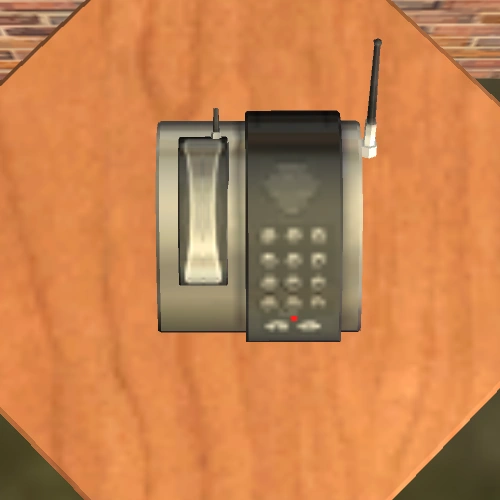
| Streamline your conversations with this sleek visitor from yesteryear. Reviving the forward-looking excitement form [sic] the Atomic Age, the Talkatron 9000C boosts signal through the use of an actual family-friendly nuclear pile installed in the base unit. Happy, high-energy neutrons propel your words cleanly along the wires to their destination. May cause genetic damage and hair loss. | |
| Game | The Sims 2: Pets |
| Buyability | Buy mode |
| Price in game | §125 |
| Object type(s) | Small electronics |
| Size | 1x1 surface |
The "Talkatron 9000C by AEC Techtronics" is a sleek, modern wall telephone featured in The Sims 2: Pets.
Talkatron 9000W by AEC Techtronics
| Talkatron 9000W by AEC Techtronics | |
|---|---|
| |
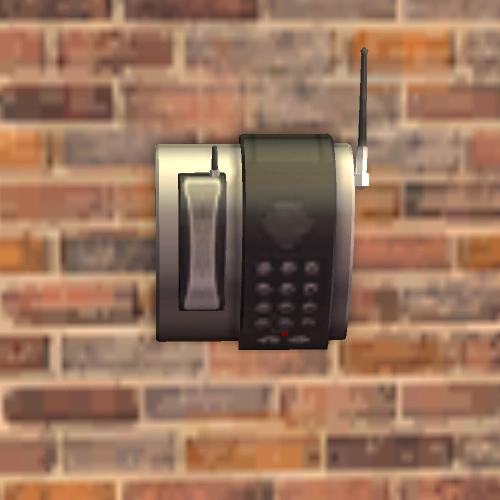
| Nothing says "hooray for fission!" like the Talkatron 9000W wall-mounted phone. Using the clean, safe power of neutron radiation, this energetic reproduction from the past will provide the most powerful phone signal imaginable, up to a range of 800,000 miles. Speak and listen with ease, knowing those cheerful little beta particles are carrying the load of your conversation. May cause fatigue, nausea or abnormal tissue growth. | |
| Game | The Sims 2: Pets |
| Buyability | Buy mode |
| Price in game | §175 |
| Object type(s) | Small electronics |
| Size | 1x1 wall |
The "Talkatron 9000W by AEC Techtronics" is a sleek, modern table telephone featured in The Sims 2: Pets.
TalkTime Phonality
| TalkTime Phonality | |
|---|---|
| |
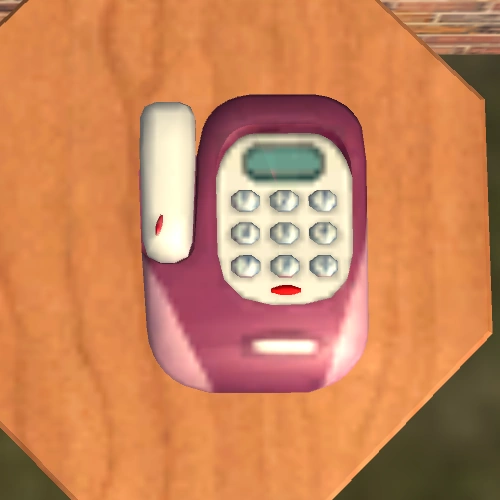
| Having a phone in your own room is no fun if it's a boring phone. With the "TalkTime Phonality", phone time becomes fun time with its bright colors, comfortable touchpad digits, ergonomic wireless handset, and caller ID. Never be a victim to lame phones again! | |
| Game | The Sims 2: FreeTime |
| Buyability | Buy mode |
| Price in game | §60 |
| Object type(s) | Small electronics |
| Size | 1x1 surface |
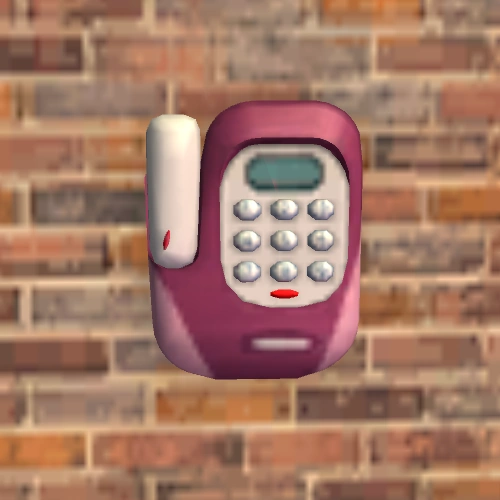
The "TalkTime Phonality" is a brightly colored table telephone featured in The Sims 2:FreetTime.
TalkTime Phonality with Mounting Bracket
| TalkTime Phonality with Mounting Bracket | |
|---|---|
| |
| Having a phone in your own room is no fun if it's a boring phone. With the "TalkTime Phonality", phone time becomes fun time with its bright colors, comfortable touchpad digits, ergonomic wireless handset, and caller ID. Never be a victim to lame phones again! | |
| Game | The Sims 2: FreeTime |
| Buyability | Buy mode |
| Price in game | §60 |
| Object type(s) | Small electronics |
| Size | 1x1 wall |
The "TalkTime Phonality with Mounting Bracket" is a brightly colored wall telephone featured in The Sims 2:FreetTime.
The Sims 2 for console
The console versions of The Sims 2 telephones function somewhat similarly to those in the PC version, although the console versions use black-colored telephones instead of beige ones. Due to console limitations, telephone interactions are much more limited.
Sims can call other Sims in their social web either to invite them over or to talk. Telephones can also be used to call services such as the SimCity Cleaning Service, SimCity Fire Department, SimCity Police Department, the Repairman, gardeners, and therapists.
Sims can make prank phone calls where they can "Fart on Phone", "Fake Names", or "Fake Sweepstakes". Telephones can also be used to throw parties, which automatically invites every Sim known to the caller over.
As in The Sims, Sims may receive prank calls or calls that award cash randomly to the household.
The Sims Castaway Stories
Telephones in The Sims Castaway Stories are replaced with Shell Phones. They function largely the same as phones from The Sims 2, with the exception that they have the appearance of a large shell. Shell Phones are only available as a story reward object. Shell Phones function more similarly to cellphones, as they are usually carried and can be used by clicking on the Sim and selecting the "Call..." option.
Unlike telephones in The Sims 2, Shell Phones can only be placed vertically.
The Sims 3

Reason: Set up a list of cellphone generations.
Please improve this article if you can.

In The Sims 3, all Sims ages child and older automatically have a Blackberry-style cellphone in their inventory that cannot be deleted. If The Sims 3: University Life is installed, Sims instead use touch-screen smartphones. Because every Sim owns a cellphone by default, Sims no longer need a landline to make and receive calls, although landline phones can still be purchased for residential lots.
Phones can be used to talk to Sims, invite Sims over or on dates, throw parties, check on real estate, call for services, find jobs, and move households. Cellphones can also be used to take pictures and teleport to teleportation pads. Sims are also able to customize their ringtone. Sims who purchase the Future Sim[TS3:ITF] lifetime reward receive a HoloPhone, which differs only in appearance to regular cellphones.
The addition of expansion packs add several phone interactions and services. The Sims 3: World Adventures adds the ability to plan vacations by phone. The Sims 3: Late Night introduces mixologist and butler services, while also allowing phones to operate callboxes and electric gates. In The Sims 3: Generations, teen Sims can make prank calls and be enrolled in boarding school via the phone. The Sims 3: Showtime adds performer and DJ related services, as well as the ability to request Sing-a-Grams. If University Life is installed, Sims can also enroll in university using their phones.
Conversations over the phone typically last one or two in-game hours. When an active Sim receives a phone call, the player may choose whether or not to continue the conversation. Non-rival Sims always answer incoming calls regardless of their current activity. Unlike playable Sims, inactive Sims do not visibly use their cellphones during a conversation.
As in previous games, a telephone curfew is enforced between 12:00 a.m. and 6:00 a.m., during which most calls are rejected, however rejected calls do not seem to affect relationships. Calling another Sim while they are at work informs the player of what time they will become available to call. Services can be called at any time of the day, although the caller must be on their home lot for the option to be available. Unlike previous games, children cannot contact services, including emergency services.[n 3]
Incoming calls display a visual "cell phone buzz" effect around the receiving Sim. Landline telephones only ring for calls directed to the household as a whole, while calls directed at a specific Sim go to that Sim's cellphone.
If the player directs a Sim to answer a phone call, the Sim's interaction is cancelled and the "Answer Phone" interaction is moved to the front of the queue rather than placed at the end. If the incoming phone call was an opportunity call, ignoring it immediately displays the opportunity dialog. Players can also silence phones to automatically reject incoming calls.


The core design of both the smartphone and the Future Phone.
If The Sims 3: University Life installed, numerous interactions related to the newly upgraded phones are added. These include sending various text messages, such as Picture, Friendly, Insulting, Secret Admirer, WooHooty, and Breakup texts, as well as social interactions that allow Sims to watch internet videos or take selfies together.
The Social networking skill allows Sims to create and sell blogs, as well as unlock additional phone colors at certain levels. Phones also have a chance of being dropped during use, causing them to appear cracked in the Sim's inventory.[2][3] The crack can be repaired via a phone interaction for §150. The Future Phone[TS3:ITF] is immune to cracking.
Notes
- If a household has a landline phone, phone calls informing the household when a close friend or relative has died or is about to die of old age will be routed to the landline.
- If World Adventures is installed, telephones are considered tomb objects. They can only be used to link triggers and cannot be linked to activate behaviors. Telephones have the "phone rang" trigger available to them.
- Sims can receive a phone call transmitted from the callbox when a visitor buzzes a household.[TS3:LN]
- In The Sims 3: Into the Future, a bug may cause opportunity phone calls to fail, resulting in Sims answering the phone without the opportunity dialog appearing.[4] This seems to be related to opportunities connected to the Advanced Technology and Laser Rhythm-a-con skills, which are selected unusually frequently by the game. A mod at Mod The Sims can be used to fix this issue.
- Playable Sims can use the phone to call individual household members to the home lot. The phone also includes an option to call the entire household to the home lot at once.
List of landline telephones
Landline telephones can only be placed on residential lots.
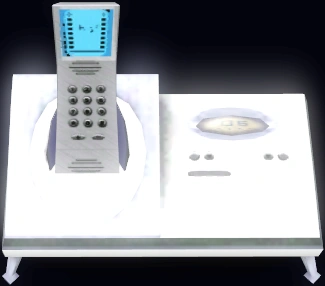
998 Table TopTopia Phone
| 998 Table TopTopia Phone | |
|---|---|
| |
| The crystal-clear phone signal, classic ringer tone and limited in-home mobility combine to thumb their phone-shaped noses at cell phone technology in the 998 Table TopTopia Phone System. Now with Receiver Retriever technology, so you'll never lose the headset again! | |
| Game | The Sims 3, The Sims 3 (Wii), The Sims 3 (Nintendo DS) |
| Buyability | Buy mode |
| Price in game | §35 |
| Object type(s) | Small electronics |
| Social | |
| Size | 1x1 surface |
Note that The Sims 3 (Wii) appear to have swapped the names of this phone and the below Immobile Phone.
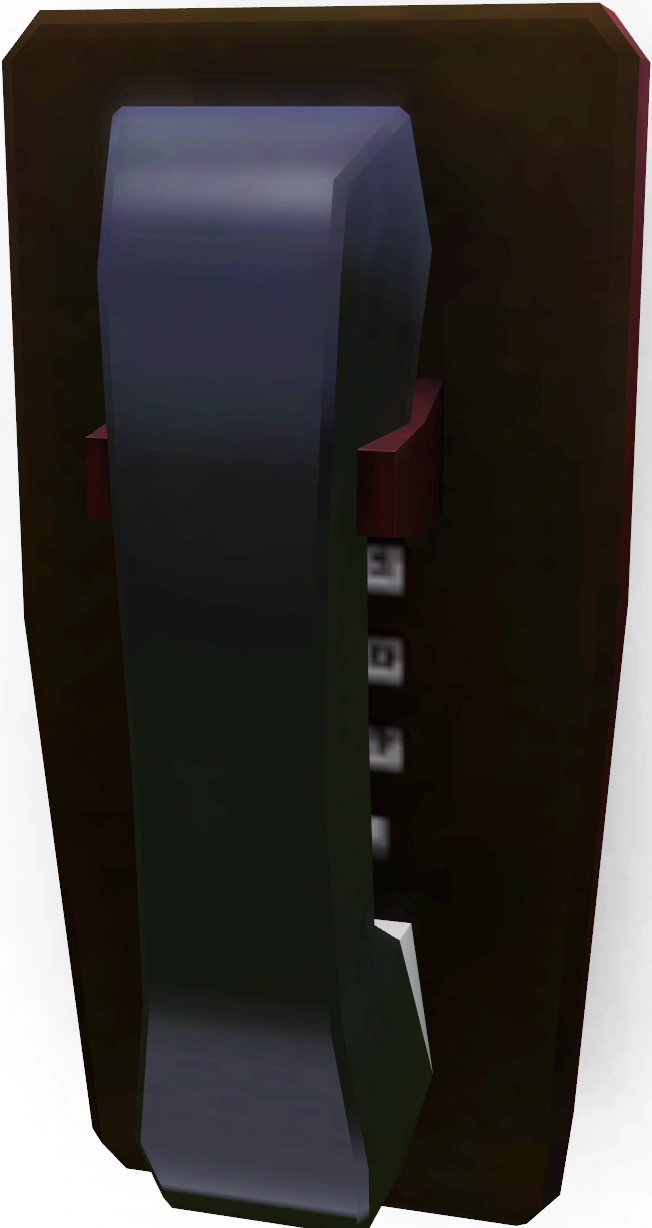
Immobile Phone
| Immobile Phone | |
|---|---|
| |
| Many futurists deride landline telephony as so 20th century. They forget that physical phone lines are still being installed all over the world. In fact, there are currently 1.3 billion worldwide, and when you buy an Immobile Phone, that number will spike to 1.3 billion and one. | |
| Game | The Sims 3, The Sims 3 (Wii), The Sims 3 (Nintendo DS) |
| Buyability | Buy mode |
| Price in game | §50 |
| Object type(s) | Small electronics |
| Social | |
| Size | 1x1 wall |
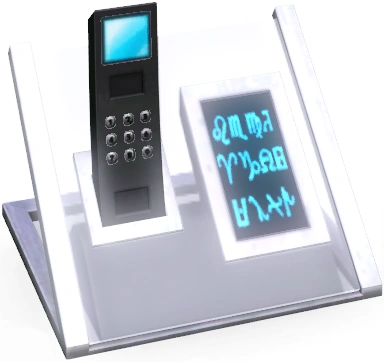
Right On! Cordless Phone
| Right On! Cordless Phone | |
|---|---|
| |
| The Right On! Cordless Phone is almost as good as having the latest and greatest cellphone. With all kinds of free downloads, flashy graphics and automatic updates, this may be the last phone you ever buy. | |
| Game | The Sims 3: High-End Loft Stuff |
| Buyability | Buy mode |
| Price in game | §75 |
| Object type(s) | Small electronics |
| Social | |
| Size | 1x1 wall |
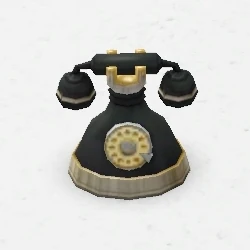
Vintage Rotary Phone
| Vintage Rotary Phone | |
|---|---|
| |
| Add the perfect vintage touch to your Sims home with this quaint rotary dial phone. Find the rest of the Comfortable Living set now available at The Sims 3 Store! | |
| Game | The Sims 3 Store |
| Buyability | Buy mode |
| Price in game | §75 |
| Object type(s) | Small electronics |
| Social | |
| Size | 1x1 surface |
The Sims 4
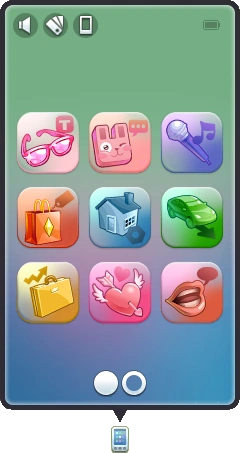

The current phone UI
Landline telephones do not appear in The Sims 4. Similar to The Sims 3, all Sims aged child and older automatically have a smart phone that cannot be deleted. Instead of being contained in a Sim's inventory, cellphones are a part of the user interface on the bottom left-hand side of the screen.
Unlike previous games, Sims are able to use cellphones while sitting down. In addition to most functions from The Sims 3, Sims can use cellphones to find jobs, pay bills, listen to music, and play games, call the adoption agency to adopt children or pets if The Sims 4: Cats & Dogs is installed. Players can also change the color scheme of their Sim's phone.
A Sim's mood affects which phone interactions and text messages are available. For example, Sims that are Sad can "Call Sadness Hotline" in order to alleviate their sadness, while Sims that are Flirty can send flirty texts, resulting in the receiving Sim inviting them out to another lot.
Sims cannot chat with other Sims over the phone between 11:00 p.m. and 7:00 a.m. A Sim who attempts to call another Sim during this period will suffer a slight decrease in relationship with the targeted Sim. Attempts to use the "Invite to Hang Out..." interaction will also fail, although no relationship penalty occurs.
Sims can use phones to arrange social events at any time, and invited Sims will arrive normally. Sims may also send text messages, regardless of the time of day without receiving relationship penalties.
Most services remain available during the phone curfew, although Sims who contact repair services at this time may pay a higher rate.[confirmation needed] Inactive Sims may leave messages asking if they can visit the current household, which the player can either accept or decline.
Get Famous
If The Sims 4:Get Famous is installed, numerous additional texts and calls related to the reputation system are added. Sims may receive texts that affect their reputation or are triggered by their current reputation level.
If another Sim despises the active Sim, that Sim will lose reputation and receive a follow up text from one of their friends stating: "What people think about you matters - and I heard that someone absolutely despises you now! It's making me question my own opinion of you..." This results in additional reputation loss.
The inverse is true for reputation gain. If a Sim becomes good friends with another Sim, they will receive a follow up text stating: "Hey, I heard you and <Sim name> are good friends now. You're getting more popular - clearly you're a good person to know!" This results in reputation increase.
Additionally, having either a positive or negative notable reputation opens Sims up to various opportunities, including job offers, friendship opportunities, and blind dates. Sims with a positive reputation may occasionally be asked to donate to charity, while Sims with a negative reputation may be asked to hold money for another Sim who "won't ask any questions", implying involvement in money laundering.
Community Closeness
With the addition of Eco Lifestyle, Sims are able to get Community Closeness texts and calls, which allow multiple events to happen. Each text has at least two responses, but most have three. They include but are not limited to:
- A friend calling the player and asking if they should Try for Baby with their partner. If the player tells them they should, then the Sim will become pregnant. Asking the Sim if they're "sure [they're] ready for that" will result in relationship gain and no pregnancy. However, the player can reply "You?! A parent?!" which results in large relationship loss and the Sim trying anyway out of spite.
- A friend calling the player and describing a dream they had about them, which only results in relationship gain or loss depending on the answer.
- A sibling texting the player with a meme they found on Simstagram, which only results in relationship gain or loss depending on the answer.
- A friend confessing a crush on the player. Depending on the option, the call results in romance gain, no change, or a -10 to romance.
- A parent complaining that the player does not visit them anymore. One can reply by saying they will visit them tomorrow, which results in relationship gain, though they are expected to actually visit. Not visiting has no consequences, however. Next, the player is able to invite the parent over immediately, which also results in relationship gain. Lastly, the player can tell the parent that they can't, which does not result in relationship loss, but grants the player's Sim a +1 sad moodlet over not visiting their parents. This call does not take into account a Sim's relationship with their parent; a Sim can be enemies with their parent and receive this call regardless.
- There are also soliciting calls, done by Bess Sterling by default, in which a Sim with the Entrepreneur NPC trait asks the player for money. Sometimes it is a large amount and regards starting a business, other times it's simply §1, referred to as all that is needed to be happy.
- A Sim calls the player and says that they're feeling down lately, and the player has the option to cheer them up or tell them to get over it. Trying to cheer them up results in relationship gain, while telling them to power through it results in relationship loss.
Social Bunny
Introduced in The Sims 4: High School Years, Social Bunny is a social networking app that is The Sims equivalent of Snapchat. Sims can post about their actions to other Sims following and reply using animated Freezer Bunny emojis. Using Social Bunny allows for passive gain or loss in relationship to following Sims.
Cupid's Corner
Introduced in The Sims 4: Lovestruck, Cupid's Corner is a dating app that allows Sims to online date. There is also a real website used for promoting the game.
The Sims Medieval
There are no telephones in The Sims Medieval, as the game is set in medieval times, but pigeons serve as the equivalent item; they are used to talk and invite friends.
Trivia
- In The Sims: House Party, Drew Carey uses a cellphone to communicate, making it the object's first appearance there despite them not being ownable.
- In The Sims 2 base game, at the beginning of the Shicka Shicka Zoom music video on SimSation Dance, the protagonist uses a cellphone to call a taxi, but he's actually reusing the wall phone animation (with the phone itself being reused from the object) due to cellphones not making an appearance until University.
Gallery


Notes
- ↑ J. M. Pescado's Phone Hack mod corrects this issue; with the mod installed, calling child Sims at night no longer results in their parents coming over.
- ↑ If Nightlife or later is installed, a cell phone can be placed in a child's inventory; however, while the "cell phone buzz" will appear, children must use a wall or table phone to answer the call.
- ↑ Children can hire any service if the "call services" module of the 'No Stretch' Children can series mod is installed.
References
- ↑ [1][dead link]
- ↑ My sim cracked his smartphone screan
- ↑ Today I learned that my Sims can break their phones-- has this happened to any of you guys before?
- ↑ A video of the bug can be seen here