


For details and discussion, see the talk page.
Surface
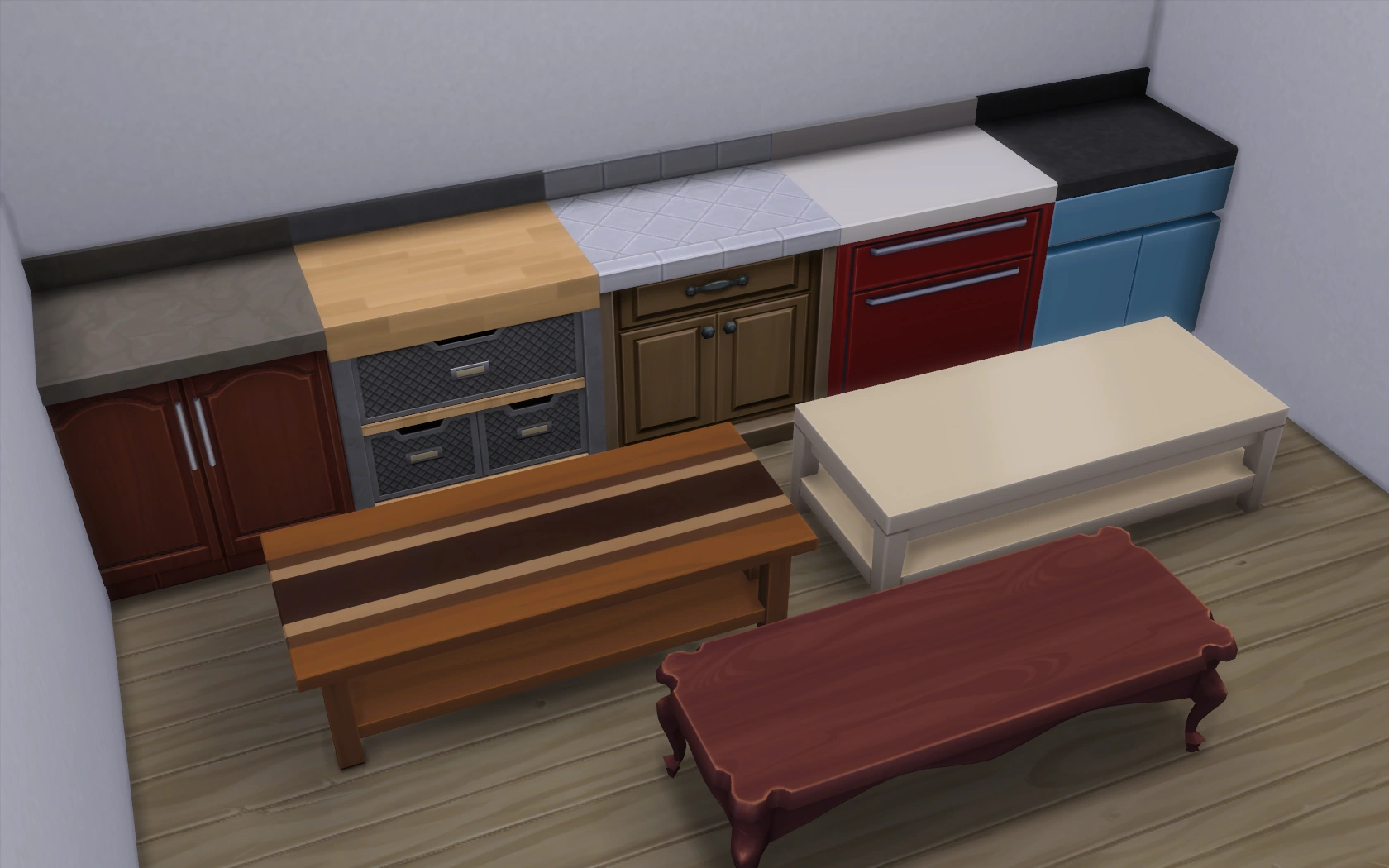
Various counters and coffee tables from The Sims 4.
A surface is a type of buy mode object that has appeared throughout The Sims series. They are primarily used to hold small objects like decorations, books, computers, and food that cannot be placed on or are not usable while on the ground. Sims tend to only be able to use objects on a surface if there is a chair next to it.
In general, surfaces are divided into five categories: counters, tables, end tables, coffee tables and desks, though not all games use the same category names. Some games might consist of cabinets,[TS3][TS4] displays[TS3][TS4] and shelves[TS2:OFB][TS4] in this type. Counters are required for meals that require preparation. Island counters and dining tables can be used as eating surfaces if a stool or chair is located next to it. The one common attribute all surface objects share is the usage of holding small items, usually that are decorative.
Coffee tables and end tables
Sims will typically use end tables for placing unpaid bills, newspapers, and magazines on, and may use coffee tables if there are no suitable end tables nearby. Sims will usually look for coffee tables when putting down a coffee mug, if there isn't any accessible end table around.
Counters
Counters are primarily used for food preparation in the kitchen, where they serve as preparation surfaces. They can also accommodate small appliances, dishwashers, and sinks. Counters are also used on community lots, where they are used to hold cash registers and certain display racks. Like other surfaces, they can contain small decorative objects.
Counters are typically placed together in a row, like sectional sofas, and can be placed around corners. From The Sims 2 onward, the ⇧ Shift key no longer needs to be pressed in order to place multiple counters at a time.
Cats can leap onto countertops to eat any food placed on them.[TS2:P][TS3:P][TS4:C&D]. Dogs in The Sims 4: Cats & Dogs, dogs can snatch food from countertops. Vampires can fly over counters when they have transformed into bats.[TS2:NL]
Tables
Tables are typically used as dining tables, where Sims will eat their meals whilst sitting at. The number of plates that can be served on a table depends on the size of the table and the number of chairs surrounding it. Sims can eat from the tables as long as there is a chair located next to it facing inward. Once all available spots have been filled, the serving Sim will place the serving platter or bowl in the middle of the table, or on an empty countertop. Certain interactions, such as toasting,[TS2:NL] are only available while sitting at a table.
Tables can also be used to hold small items, including small decorative objects. In The Sims 2, some of these decorative objects will prevent other objects, including plates, from being placed on the table. A mod from Mod The Sims is available that fixes this.
Desks are a type of table that are primarily used for doing homework on, and are good locations for computers to be placed. These are typically only usable by one Sim at a time, and the chair must be on the front side of the desk in order to work. Desks and tables can be used interchangeably; computers and homework can be placed on dining tables, and Sims can eat at desks if there are no other surfaces available to eat from.
Table/chair compatibilities
The Sims 3
| Tables → Chairs ↓ |
Dining table |
Desk | Bar | Island counter |
Pub table[LN][TS3:S] |
Bubble bar[LN] |
|---|---|---|---|---|---|---|
| Dining chair | ✓ | ✓ | — | — | — | — |
| Desk chair | ✓ | ✓ | — | — | — | — |
| Barstool | — | — | ✓ | ✓ | ✓ | ✓ |
Shelves
The Sims
Shelves are first introduced in The Sims: Vacation to display souvenirs. All souvenirs can be placed on these shelves, aside from the Giant Penguin Stuffed Animal and Stuffed Licensed Jenny Pig which are too big to fit and can only be placed on a table or the ground. There are several shelving options available, though the most expensive one, the Hedmann Souvenir Cabinet, features unique hidden functionality. As more souvenirs are placed in the cabinet, increasingly more peacock feathers will appear carved into the wood. When the maximum number of feathers appear, the cabinet will be covered in gilded accents.
The Sims: Unleashed includes a shelving cabinet called Crake's Cabinet which is exclusively used for storing and displaying awards won from Pet Shows. The Sims: Superstar includes the Cabinet Noir shelving unit, which is used for displaying Fame awards.
The Sims 2
In Open for Business, shelves are used to display merchandise for sale in an owned business. Depending on the type of shelf and the size of the objects being displayed, up to six items can be placed on a shelf at a time. When playing the lot as the owner, Sims can set the display item price for all items on the shelf at once by clicking on the shelf, or set the price for each individual object in Wholesale Mode. In addition, if any one of the items on the shelf are sold, clicking on the shelf will provide an option to restock all the items on the display at once.
The Decra-Display by Refrigifreeze, a commercial refrigerator, can store and sell food and produce. Items placed in the refrigerator will be "locked" in its current state and will not spoil.[TS2:OFB]
The Magisplay Tray is a display tray that allows large objects to be placed on other surfaces that normally cannot hold such objects. However, it does not appear to work properly on desks.[TS2:OFB]
Various wall shelves from Apartment Life allow for small decorative objects to be placed on walls.
| Name | Maximum capacity | Notes |
|---|---|---|
| The Tragic Stock-n-Stack Cube from UpDuggery n' Stuff | 12 | |
| Quick Display by Sims Club Merchandise / Squat Pedestal by Selfless Salesman | 6 | |
| Just More Corner Shelves / Roedisplay Concave Corner by Grant Industries | 4 | |
| Just Corner Shelves / Roedisplay Convex Corner by Grant Industries | 4 | |
| Just Shelves / Roedisplay by Grant Industries | 6 | Players do not need to hold down the ⇧ Shift key in order to place multiple consecutive copies of Just Shelves at a time. |
The Sims 3


The Pipes and Plywood Natural Shelving by Clap 'n' Board[UL] with a flower vase, a towel bunch,[LN], and a lamp.
Shelves were re-introduced in The Sims 3: Generations and are either 1x0.5sq or 2x0.5sq; the game also added the ability to drag shelves up or down on the walls, allowing having multiple shelves on the same wall tile. Further shelves that work much the same were later also added in The Sims 3: Supernatural, The Sims 3: University Life, The Sims 3: Into the Future, The Sims 3: Katy Perry's Sweet Treats, Midnight Hollow, and at least one The Sims 3 Store set.
The 1x0.5sq shelves typically have 3 small slots, while the 2x0.5sq shelves typically have 6 small slots. As a rule of thumb, only small 0.5x0.5sq decorations are allowed on the shelves, and no objects in the Entertainment categories are allowed even if they are small enough to fit on them.
In Buy Mode, shelves are found in "Sort by Function" → "Surfaces" → "Displays".
Among the 4 shelves added in University Life, 2 are shaped like small bookshelves, but are in fact shelves with small slots.
The Midnight Hollow shelf is part of the "Savvy Seller's Collection", meaning that objects placed on the shelf is considered to be for sale/purchase by Sims.
Shelves by expansion pack
| Pack | Amount |
|---|---|
| Generations | 2 |
| Supernatural | 1 (Adorable Shelf) |
| University Life | 4 |
| Into the Future | 1 (Astral Plane Wall Shelf by Van Allen Decor) |
| Katy Perry's Sweet Treats | 1 (Shelf by Konfection) |
| Midnight Hollow | 1 (Savvy Seller's Shelf) |
| The Sims 3 Store | 1 known (Of The Sea Wall Shelf) |
The Sims 4
- This section is in need of additional information. You can help The Sims Wiki by expanding this section.