Gravestone
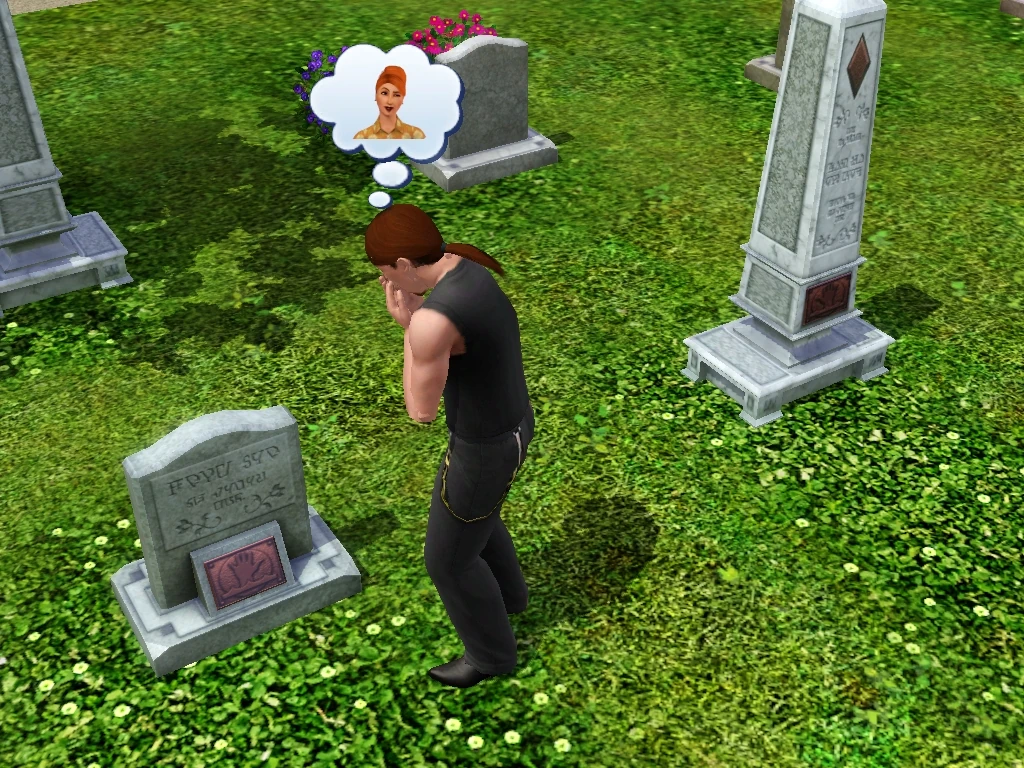
Mourning at a grave.
An urn or gravestone appears on a lot when a Sim dies. An urn can be placed on the floor or on tables and counters. A gravestone can also be placed on the ground outside. In The Sims, The Sims 2, The Sims 3, and The Sims 4, whether a grave appears as an urn or a gravestone will depend on whether it is inside or outside; an urn will become a gravestone if it is moved outside, and a gravestone will become an urn if it is moved inside. Sims can "Mourn" over graves or urns. Beginning with The Sims 2: Nightlife, they can be moved to a community lot. With The Sims 4: Life & Death, Sims can for the first time have customizable gravestones and choose urns as an alternate.
The Sims
In The Sims, different gravestones are available, but players have no control over which one appears after a Sim dies. Pets[TS:U] and famous Sims[TS:S] have their own urns and gravestones.
Graves cannot be placed on community lots. "The Gothic Quarter" in Old Town, and "Vernon's Vault" and "A Spooktacular Spot" in Magic Town all contain gravestones, but they are simply decorative and are not linked to any Sim's ghost.
Gallery


The Sims 2
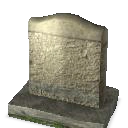
A gravestone in The Sims 2
If a Sim had gold or platinum aspiration when they died of old age, a gold gravestone/urn will appear with the dead Sim's aspiration symbol on it. Otherwise, the Sim will get the average, grey gravestone/urn.
If Nightlife or later is installed, players have the option to click on an urn or gravestone and select "Move grave(s)". This moves the grave to a community lot of the player's choice, where it will appear near the telephone. When this is done, the shade of the Sim will appear and wave goodbye, then the grave will disappear, and the player will be notified that the Sim has died on another lot and will return in spirit to the place of their death. It appears that this may refresh the tendency of family members to cry over the death, even if that had largely passed. Another way to move a grave is to place the urn or gravestone in a Sim's inventory, and send that Sim to a community lot. If the player clicks on the ground and selects "Place NAME's Grave Here", the Sim will go to that spot, and the grave will appear there. Regardless of which method is used, the player will be able to select that lot from the neighborhood view, and use the hand tool in Buy or Build mode to place the graves where they wish.
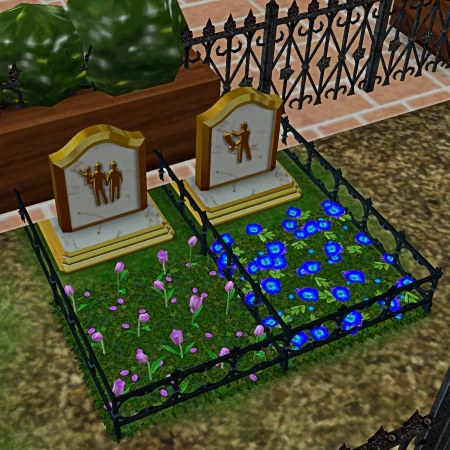
Sims that die while their aspiration is platinum get golden gravestones.
It is a good idea for players who plan to move graves to make a cemetery, but there is a pre-made cemetery, "Gothier Green Lawns", found Downtown next to the House of Fallen Trees.
In The Sims 2: Pets, pets get gravestones/urns that are marked with a pawprint, and the owner(s) of the pet will get a special memory. A pet's urn is grey, and a pet's gravestone is brownish.
With The Sims 2: Seasons installed, a grave can be struck by lightning during a storm. This will cause the ghost to appear (even during the day.) Additionally, in Seasons or later, Sims cannot give graves as gifts.
The Sims: Castaway Stories
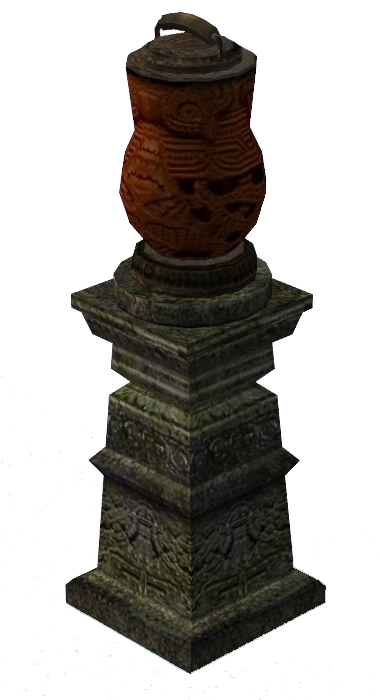
A grave in The Sims: Castaway Stories
Graves function similarly in The Sims: Castaway Stories, except the urn has a different visual appearance. There are no tombstones; placing an urn outside simply attaches a stone altar underneath it. Moving the grave back indoors will remove the altar.
Due to an oversight, the golden gravestone model is missing. Therefore, Sims who are outside and die of old age while having gold or platinum aspiration level will have an invisible grave.
A slightly different style of urn appears during the story, in which the main character is tasked with placing them on altars in a small graveyard at The Forbidden Village.
Notes
Gravestones and urns can be deleted in Buy Mode. However, this unlinks the Sim's character file and will make the Sim un-resurrectable. It is not recommended to delete gravestones or urns unless the nounlinkondelete mod from More Awesome Than You is installed to enable you to resurrect the sim at a later time.
The Sims 3
In The Sims 3 base game, there are at least 3 different types of gravestones; a flat plaque-like one, a grey one that's similar to the ones in The Sims 2, and a tall obelisk-type one. The gravestones become a small urn if they're moved indoors (except for Mysterious Mr. Gnome's gravestone[TS3:G]), and likewise become a gravestone again if they're moved outdoors, with no changes to the gravestones' other features during such moves.
Generations added a tombstone for Mysterious Mr. Gnome, Pets added tombstones for pets, and Into the Future added a tombstone for Plumbots. 3 additional partly holographic tombstones intended for Oasis Landing was added to the base game in a patch, most likely Patch 63.
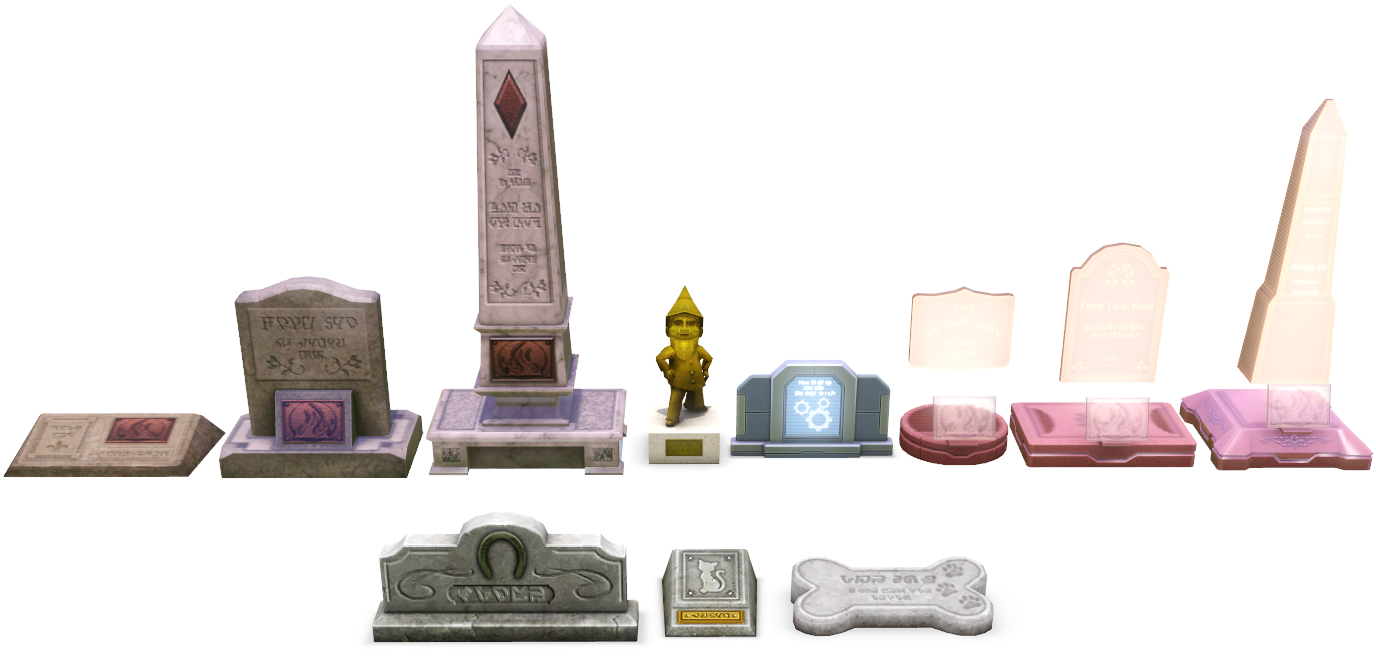
The various tombstones in the Sims 3 era.
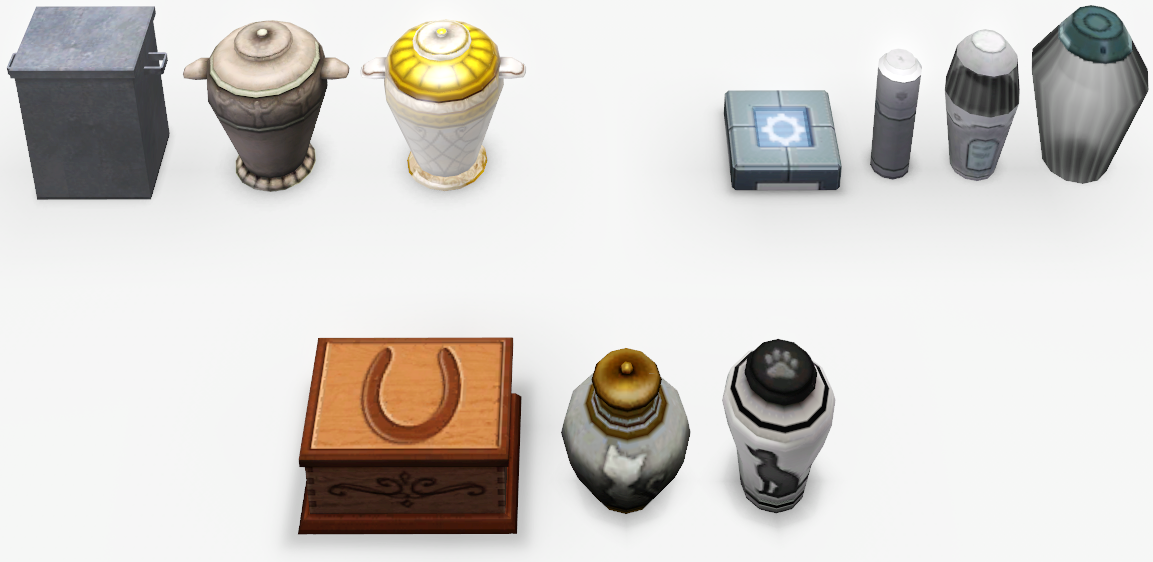
The indoor modes in the same orders, but without Mysterious Mr. Gnome.
The base outdoor modes in each of the images on the upper right:
- Row 1 from the left: Small, Medium, Large, Mysterious Mr. Gnome,[TS3:G], Plumbot,[TS3:ITF] Oasis Landing Small, Oasis Landing Medium, Oasis Landing Large.
- Row 2 from the left: Equine[note 1] Tombstone,[TS3:P] Feline Tombstone,[TS3:P] Canine Tombstone.[TS3:P]
A Sim can obtain these different gravestones by:
- Small Plaque
- Dying before earning 75,000 lifetime happiness points.
- Medium Gravestone with Plaque
- Dying after earning 75,000 - 149,999 lifetime happiness points.
- Large Gravestone with Plaque engraved
- Dying after earning ≥150,000 lifetime happiness points.
Note: The gravestone a Sim receives following their death is based on the total lifetime happiness points that Sim has received overall, not the number of points that are available when the Sim dies. This means that points spent on lifetime rewards do not affect this number. To see the total number of lifetime happiness points a Sim has earned, hover the cursor over the chest icon in the Lifetime Rewards panel.
Note²: There is a common misconception that when a deceased sim has a large Large Tombstone means that they have completed their lifetime wish, this however is not true.
All gravestone types are available in Buydebug, and all of them are worth §0, except for the Mysterous Mr. Gnome gravestone that is worth §1,500.
A gravestone in outdoor mode will have a plaque which shows the cause of the Sim's death:


Pets [TS3:P], Sims that died in the future[TS3:ITF] and Plumbots [TS3:ITF] have their own urns and gravestones.

In addition to the plaques, the material of the gravestone in outdoor mode will also have a slightly different color. While this is much more showcased with Into the Future's gravestones, it does occur to the base game urnstones as well. For the Medium gravestone, in the image on the right:
- Row 1 from left: Time Anomaly, Blunt Force Trauma, Electrocution, Dehydration, Human Statue, Fire, Meteor.
- Row 2 from left: Mummy's Curse, Old Age, Frozen, Drowning, Transmuting, Starvation.
- Row 3 from left: Shark Attack, Haunting Curse, Jelly Bean, Ranting, Jetpack Crash, Thirst.
Gallery


The Sims 4
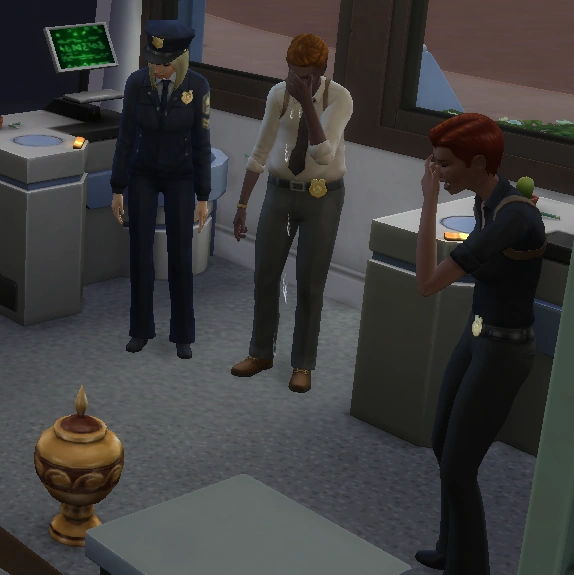
Detectives mourning in front of an urn of their deceased co-worker in The Sims 4: Get to Work. This urn is for an ordinary Sim.
In The Sims 4, normal Sims only have one type of gravestone and urn, with unique designs added for cats, dogs, horses and various occult types. Certain types of urns are able to be placed on the surface of pools or the ocean; see below for a comprehensive list.
As auto age is switched on (by default) for all played households, all played Sims will eventually succumb to death by old age if nothing else.
Like in previous games, Sims can be made to mourn dead Sims (although Sims who have a significantly negative relationship with a dead Sim will be given the option to laugh at that Sims grave instead.) Mourning a tombstone or urn will produce a sad Moodlet that lasts for four hours.
Each tombstone has an option to 'Release Spirit to Netherworld'. Once this option has been selected, the dead Sim's remains, ghost, profile, etc. will be permanently removed from the game.
Sims who have died will by default have their spirit gradually lose connection to the physical world, and their spirit will automatically be released after a certain amount of time has passed. This can be halted by selecting the option to 'Strengthen Connection to Physical World' on the tombstone or urn. If this is not done, a notification will appear after a few days stating that the Sim's spirit is fading away, and suggests to the player to attempt to "Strengthen His/Her Connection to the Physical World." Ghosts can also be prevented from disappearing by adding them to a playable household, either by inviting them to move in or by using testing cheats.
Gravestone Galleries
Gravestone gallery

![Alien gravestone[TS4:GTW]](/wiki/File:Gravestone-Alien.png "Gravestone-Alien.png (11 KB)")
![Vampire gravestone[TS4:V]](/wiki/File:Gravestone-Vampire.png "Gravestone-Vampire.png (11 KB)")
![Spellcaster gravestone[TS4:ROM]](/wiki/File:Gravestone-Spellcaster.png "Gravestone-Spellcaster.png (17 KB)")
![Servo gravestone[TS4:DU]](/wiki/File:Servo_Gravestone.png "Servo Gravestone.png (15 KB)")
![Werewolf gravestone[TS4:WW]](/wiki/File:Gravestone-Werewolf.png "Gravestone-Werewolf.png (19 KB)")
![Mermaid gravestone[TS4:IL][note 2]](/wiki/File:TS4_Mermaid_gravestone.png "TS4 Mermaid gravestone.png (18 KB)")
![Fairy gravestone[TS4:EBN]](/wiki/File:TS4_Fairy_Tombstone.png "TS4 Fairy Tombstone.png (18 KB)")
![Cat gravestone[TS4:C&D]](/wiki/File:TS4_Cat_gravestone.png "TS4 Cat gravestone.png (14 KB)")
![Dog gravestone[TS4:C&D]](/wiki/File:TS4_Dog_gravestone.png "TS4 Dog gravestone.png (15 KB)")
![Horse gravestone[TS4:HR]](/wiki/File:Horse_gravestone.png "Horse gravestone.png (12 KB)")
Choosing Gravestones
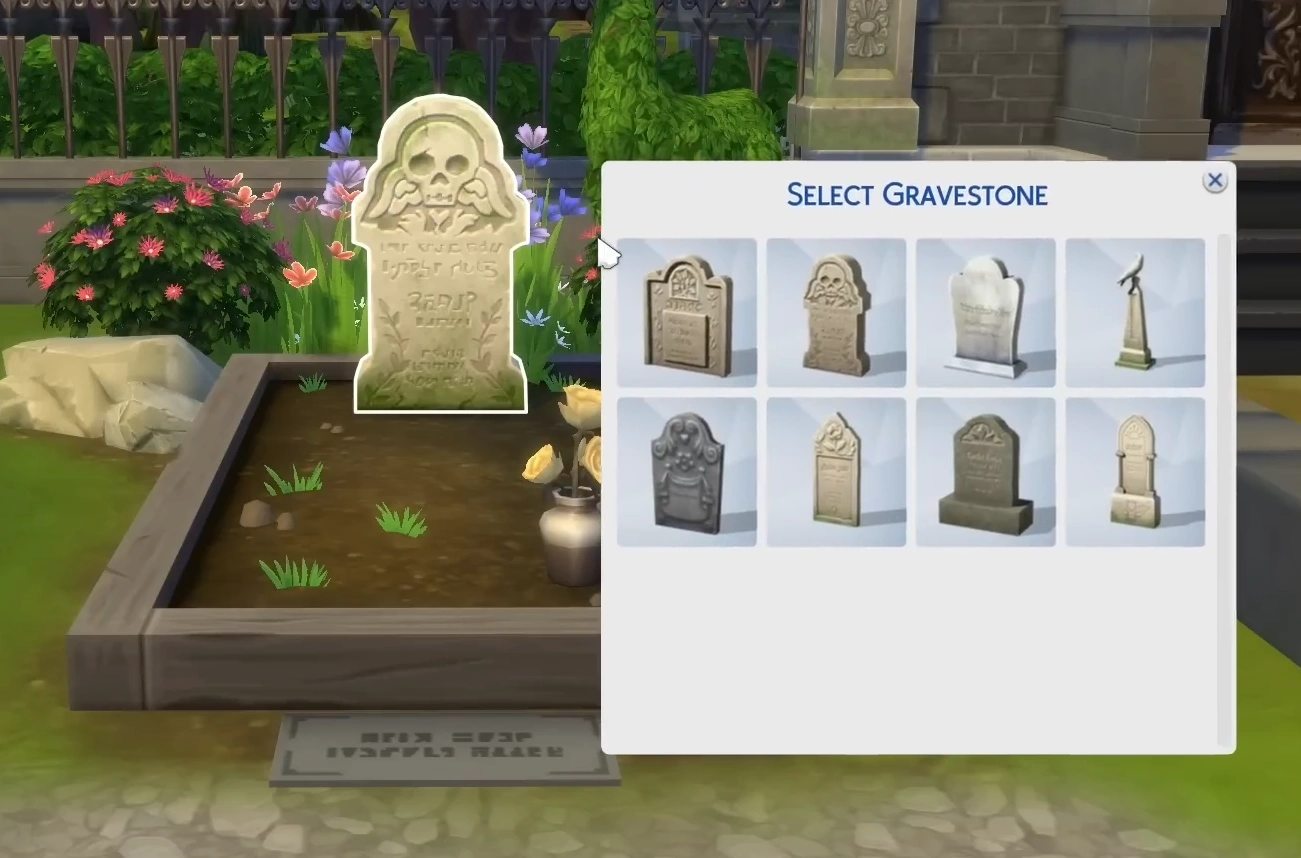
With Patch 170, players are able to select the appearance for gravestones and urns between any Occult gravestone/urn, as well as being able to stick the gravestone inside or urn outside by disabling the auto-switch. Players have extra gravestones based on the packs they have installed.
The Sims 4: Life & Death adds an array of new gravestones and urns for Sims to have.


![Japanese-styled gravestone[SE]](/wiki/File:TS4_Snowy_Escape_Gravestone.png "TS4 Snowy Escape Gravestone.png (10 KB)")
Urn gallery


![Mermaid urn[note 2]](/wiki/File:TS4_Mermaid_urn.png "TS4 Mermaid urn.png (13 KB)")


Urns floating in water
- Mermaid, Vampire, Servo, and animal urns don't float.
- Alien urns float, but without a buoy.


.png "TS4 Fairy Urn (Floating).png (8 KB)")
Trivia
- In The Sims 2, moving a gravestone to a community lot may change the type of death of Sims (from any kind of death) to starvation. This is also true vice versa.
- In The Sims 2, moving a table with a tombstone/urn on it will prevent the grave's appearance from being switched between urn or tombstone. However, if the grave is taken off of the table and placed elsewhere, it will retain it's accurate appearance (urn if inside, tombstone if outside.)
- On the PS2 memory card browser, if the player decide to delete a save file of The Sims 2, a gravestone will appear instead of the normally used Plumbob.
- In The Sims 3, when a Sim dies, the player has the option of whether to keep the grave on the Sim's home lot or to put it into a cemetery.
- In The Sims 3, having a playable ghost with the same name appearing on another gravestone may cause the "Return to Netherworld" option to appear if the player clicks on it, even if the gravestone doesn't belong to the ghost.
- The player can get gravestones and urns with the BuyDebug cheat on known as "Remains", however, they will not contain ghosts.[TS3]
- In The Sims 3: Showtime, when a Sim dies as a human statue, the gravestone has a plaque implying the Sim died by fire prior to Patch 38, where it is changed to two crossed shovels. This is also the default for remains (graves without ghosts;) however, it can be changed by using cheats.
- In The Sims 3: Island Paradise, when a Sim dies by running out of air, the gravestone has a plaque implying the Sim died by drowning.
- In The Sims 3: Ambitions, when a SimBot dies in any way, the plaque on the gravestone will be a SimBot's hand holding up an hourglass.
- In The Sims 3: Into the Future, Sims who die in Oasis Landing will get a futuristic holographic gravestone. However, these gravestones can be accessed by purchasing them using the BuyDebug cheat.
- Also, ghosts - who were created in Create-A-Sim - will get a holographic gravestone, if their deaths were set to be Jetpack crash or Time anomaly.
- The holographic plaque of death by shark attack and dehydration from Island Paradise erroneously has the plaque of death by old age.
- In The Sims 3: Into the Future, Plumbots have their own gravestone and urn. The gravestone has a holographic plaque of spinning gears.
- In The Sims 4, mermaids originally did not have unique gravestone and urn designs when The Sims 4: Island Living released; they simply used the designs for normal Sims. Patch 170 corrected this oversight and gave them their own designs.
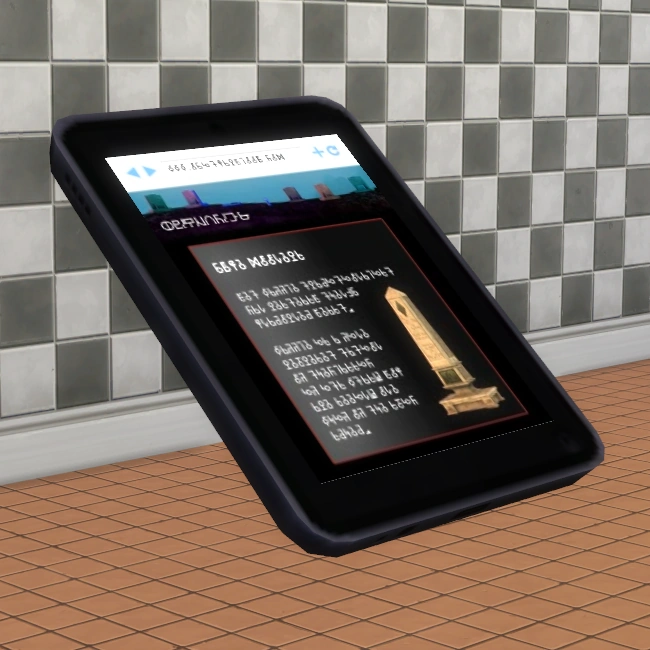
- In The Sims 4, if one takes a look at the Grim Reaper's tablet, one can see the large gravestone from The Sims 3