

| Tutorial | |
|---|---|
 | |
| |
| Name | Tutorial |
| Game | The Sims 2
|
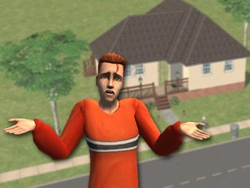
The Tutorial neighborhood is the home of the Sim family featuring the married couple Tutorial Joe and Tutorial Jane Sim. It is used in the learn to play tutorial in The Sims 2. It features 31 Sims (5 playable, 12 incomplete ancestor characters, 14 unique NPCs). This neighborhood has no community lots.
Lots
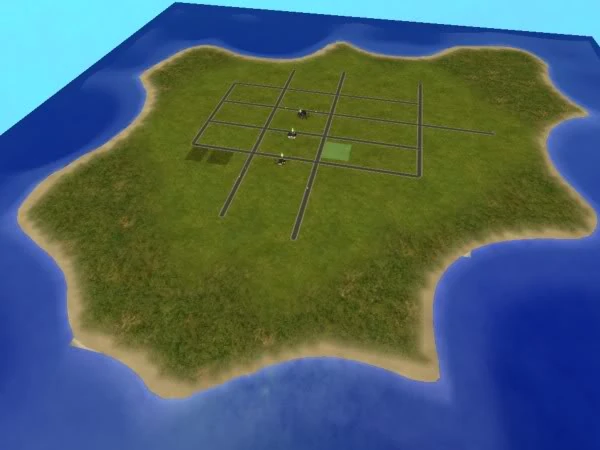

The neighborhood
Occupied
- First tutorial home (The Basics: Part 1)
- Second tutorial home (The Basics: Part 2)
- Third tutorial home (New Gameplay)
Unoccupied
Families
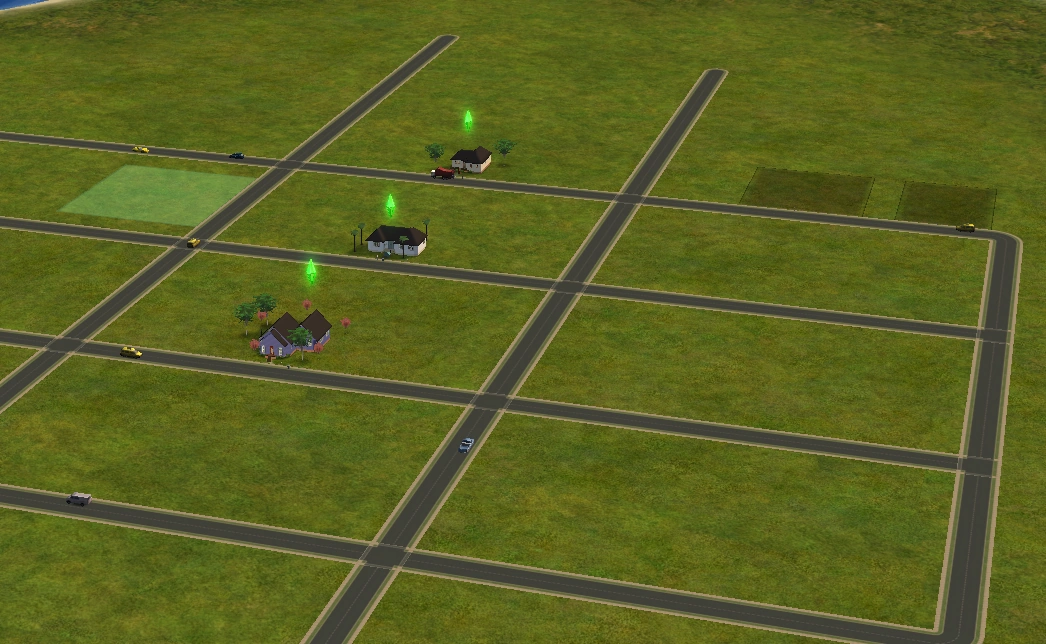

All the lots
- Sim family (Part One)
- Sim family (Part Two)
- Sim family (New Gameplay)
NPCs
- Glen Kalson (Bartender)
- Kennedy Mazza (Delivery person)
- Amar Rusewicz (Exterminator)
- Tosha Go (Firefighter)
- Andrew Todd (Firefighter) (Hidden)
- Ericka Jayapalan (Gardener)
- Robert Miguel (Headmaster) (Hidden)
- Komei Carlson (Maid)
- Maura Simpson (Mail carrier)
- Lucy Hanby (Newspaper Delivery Girl)
- Sullivan Cox (Pizza delivery boy)
- Jerry Lawson (Police officer)
- Manuel Leong (Repairman)
- Social Worker Social Worker (Social worker)
Deceased Sims
- Alice Jones
- Henry Jones
- Paul Jones
- Peggy Jones
- Regina Jones
- Roger Jones
- Betty Sim
- Bill Sim
- Bob Sim
- Bunny Sim
- Dorothy Sim
- Pop Sim
Technical Information
Tutorial is not meant to be played as a normal neighborhood and no changes are ever saved; the neighborhood package file that accompanies has intentionally incomplete information preventing it from appearing in the Neighborhood selection screen.
There is a glitch in game that will cause any other neighborhood named "Tutorial" to have the same special functions as this neighborhood (saving a lot will be impossible, tutorial-special based interface images etc.).
In this neighborhood, the game does not allow any Sims to die on the lot. If a Sim is about to die in some way, or a player uses testing cheats to kill a Sim, the game will immediately begin loading the Tutorial Menu but will instead take the player to the main menu.
Making Tutorial playable
While impossible to make the original neighborhood playable, it is possible to make an exact duplicate of it. Turning it into a standard neighborhood for normal play:
- Make a copy of the Tutorial folder in Neighborhoods and name it something else like "N999" (rename the package file too). (Do not modify the Tutorial folder, simply copy it)
- Copy in a neighborhood selection picture from any neighborhood of your choosing and name it accordingly, "N999_Neighborhood.png". Any 400x300 png file should do.
- In order to make it playable, it needs two files to be added into the package file: IDNO (Neighborhood ID Number) and CTSS (Catalogue Description), as they both have been removed. This can be done with a package editor like SimPE.
- They are found in all other normal neighborhoods and can be extracted from them and inserted into your new package file. Transplanting these copies is much easier than making them from scratch.
- The Neighborhood ID and name must be unique for example, "N999" with a UID of "32".
- The CTSS contains the neighborhood selection screen descriptions, they do not need to be unique and may be even left blank. They can be changed easily in-game anyway. It is important the CTSS file exists in the package though.
- Once done two subfolders need to have all their file prefixes changed to reflect the neighborhood's new name, for example *Tutorial_User00001.package" should instead be "N999_User00001.package".
- Both the Characters and Lots folder need to have this done, along with the folder itself.
If done properly the neighborhood should be playable and appear in the selection screen.
Learn to play
The tutorial is divided up into five lessons, which are further categorized into two groups.
The basics
These tutorials are oriented for players that are new to the series.
Part one
The player will be taught how to use the camera controls, enter live and build modes, and how to control a Sim by issuing them commands. The player is also introduced to the basic aspects of Simology, such as their personality and interests, and how to check the Sim's current age.
Part two
The player will be taught how to select another Sim when playing in a household with multiple Sims, along with the basics of social interactions and relationships. It also briefly mentions the wants and fears system.
Building a home
The player will be taught the basics of building a lot in build and buy modes.
Beyond the basics
These tutorials are oriented for returning players to the series.
New gameplay
The player will be taught how to use more advanced camera controls, maintaining a Sim's aspiration levels, accessing career and aspiration rewards, and viewing the Sim's family tree.
New building tools
The player will be introduced to new architectural features not present in the first game, such as foundations, modular stairs, gates, manual roofs, and decking. They will also be taught how to quickly build rooms and add outdoor lamps to fence posts.
Castaway Stories
| Tutorial | |
|---|---|
 | |
| |
| Name | Tutorial |
| Game |  The Sims Castaway Stories The Sims Castaway Stories
|
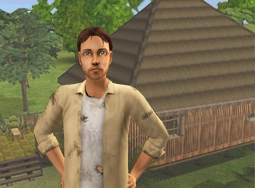
The Tutorial neighborhood reappears in The Sims Castaway Stories as the third available neighborhood. It functions exactly the same as in The Sims 2, except it also introduces the player to new features exclusive to Castaway Stories.
The families in the neighborhood now have different appearances and use Castaway Stories exclusive clothing. Interestingly, despite having the same names, the Sims in each part of the tutorial all look slightly different.
Families
- Sim family (Part One)
- Sim family (Part Two)
- Sim family (New Gameplay)
Unplayable Sims
Gallery


Trivia
- Castaway Stories tutorial neighborhood also contains all the Sims (including the listed NPCs) from the original tutorial neighborhood. However, they are unplayable and have incomplete character data or don't have it present at all.
- Interestingly, some of these Sims appear in portraits with clothing and hairstyles from the original game, despite these not being present in Castaway Stories.