


For details and discussion, see the talk page.
Photography
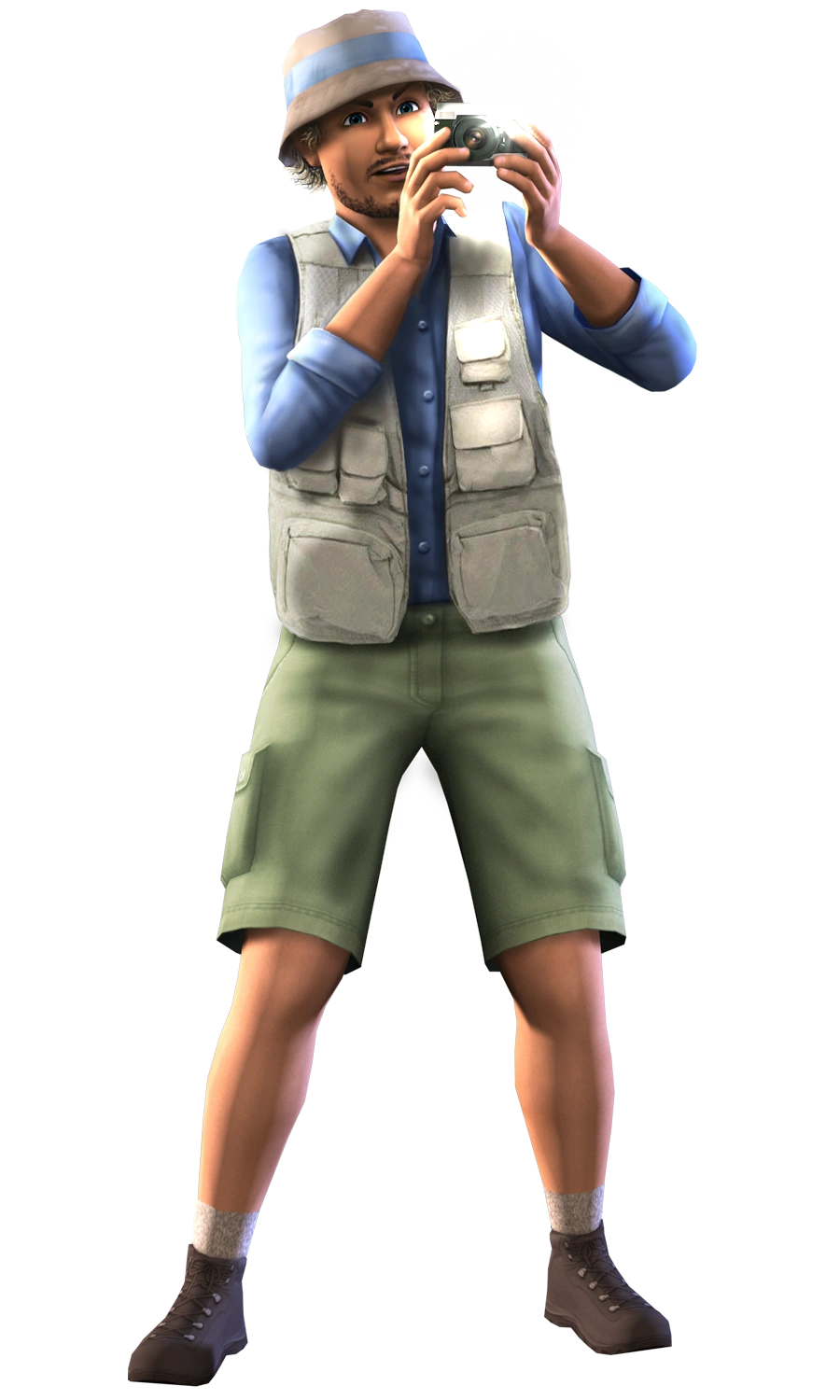
A Sim taking a picture.
Photography is a skill in The Sims 3: World Adventures, The Sims 3: University Life, and The Sims 4.
The Sims 3
Children and older can learn the photography skill by taking a snapshot using a camera or (since Patch 50) a smartphone camera. As an alternative from using the camera, Sims can learn by reading a photography skill book. If Sims graduate from LeFromage Art School, there's a chance that they will learn the photography skill and come home with a camera in their inventory.[TS3:G] However, if both The Sims 3: World Adventures and The Sims 3: University Life are installed, all children and older will receive a camera in their inventory.

In The Sims 3: World Adventures, Sims who take up the photography skill can complete the photo collections, that can be viewed in the skill journal. The photo collections can be completed by taking photographs of various events, objects, Sims, and places using the camera. The snapshots taken will be worth more, depending on Sims' photography skill and the subject of the photograph.
Prior to University Life, many premade Sims in the World Adventures sub-neighborhoods - Al Simhara, Champs Les Sims, and Shang Simla - begin the game with a ChannonTec Outlaw SE camera in their inventories and have learned the photography skill. Only these Sims possess cameras at the beginning of the game.
With Ambitions, Sims can register as a self-employed photographer.
If The Sims 3: Island Paradise is installed, all new Sims have a camera intended for underwater use in their inventories by default.
When you achieved level 10, you will get a certificate:
"The Al Simharan Academy of Photographic Art congratulates you, for achieving the very highest level of achievement in your photographic endeavors. Please accept this handsomely framed certificate and display it with pride knowing others will see just how skilled you are."
Statistics
- Photographs Taken
- Unique Sims Photographed
- Strangers Photographed
- Ghosts Photographed
- Burglars Photographed
- Money Spent
- Money Earned
- Favorite Subject
- Favorite Style
- Favorite Aspect
Skill benefits by level
| Level | Ability |
|---|---|
| 2 | Take Black & White photos |
| 4 | Take Sepiatone photos |
| 8 | Increased ability to zoom in and out |
| 9 | Take Classic Vignette photos |
| 10 | Take Panorama photos |
Photo collections
Challenges
Skill challenges related to photography:
- Photog:[confirmation needed] Capture 75 unique subjects and photographs will all have a higher base worth.
- Architectural eye: Capture 10 unique landmarks and all landmark photos will be worth more.
- Human form expert: Capture 50 unique Sims and you'll be able to improve your Sim's relationships with other Sims just by taking photos of them
- Paparazzi: Capture 60 unique Sims that are strangers and photos of strangers will be worth more.
- Shutter nut: Complete 5 photo collections and all photos after that cost nothing to take.
Opportunities
Opportunities related to photography and which are initially received in the home world:
Skill improvement
 | |||
|---|---|---|---|
| Requirements | Availability | Rewards | Timeout |
|
|
|
N/A |
|
Gain a level in photography skill and report to the target Sim. | |||
| (Sim name) of the local photography guild has been known to sponsor promising shutterbugs. Advance a level in the Photography Skill for some quick cash. | |||
Photograph
| | |||
|---|---|---|---|
| Requirements | Availability | Rewards | Timeout |
|
|
|
N/A |
|
Deliver a photograph to the theater. | |||
| It's about time there was a contest to showcase the best local photographers! The local Theatre is accepting submissions in any format, so make sure you bring your best work. | |||
| Notes: The base chance of winning the opportunity is 75%. | |||
| | |||
|---|---|---|---|
| Requirements | Availability | Rewards | Timeout |
|
|
|
N/A |
|
Deliver a photograph of the target Sim to the target Sim. | |||
| (Sim name) needs someone to take a photo of them for their travel visa. | |||
| | |||
|---|---|---|---|
| Requirements | Availability | Rewards | Timeout |
|
|
|
N/A |
|
Deliver a photograph of a Sim to the target Sim. | |||
| (Sim name) wants a picture of (Source Sim name) but won't tell you the reason why, only that you'll be paid nicely. | |||
Travel
| | |||
|---|---|---|---|
| Requirements | Availability | Rewards | Timeout |
|
|
|
N/A |
|
Deliver a photograph of "Dragon Cave" subject from Shang Simla to the target Sim. | |||
| (Sim name) thinks the Dragon Cave in Shang Simla is an awe-inspiring sight and has offered to pay you to take a photograph of it on your next trip there. | |||
| | |||
|---|---|---|---|
| Requirements | Availability | Rewards | Timeout |
|
|
|
N/A |
|
Deliver 5 photographs from Champs Les Sims to the restaurant. | |||
| The Bistro would like to spruce up the dining room with some new photographs of Champs Les Sims. They have offered to pay you to travel there and take 5 photos for them. | |||
| | |||
|---|---|---|---|
| Requirements | Availability | Rewards | Timeout |
|
|
|
N/A |
|
Deliver a photograph of "A Pyramid" subject from Al Simhara to the office building. | |||
| The Pyramid Insurance Company thinks it would be great to have a photograph of a real Egyptian pyramid to use in their logo; for advertising and maybe even to hang on the wall behind the receptionist. They are willing to pay you for your skills. | |||
| | |||
|---|---|---|---|
| Requirements | Availability | Rewards | Timeout |
|
|
|
N/A |
|
Deliver a photograph of "Great Sphinx" subject from Al Simhara to the office building. | |||
| One of the businesses in town wants to purchase a photograph of the Sphinx to decorate a drab conference room wall. Bring a picture of the Sphinx to the Business Office. | |||
| | |||
|---|---|---|---|
| Requirements | Availability | Rewards | Timeout |
|
|
|
N/A |
|
Deliver a photograph of "Abu Simbel" subject to the spa. | |||
| The Day Spa wants you to take a nice picture of the Temple of Abu Simbel to put in the dressing rooms or maybe in one of the treatment rooms. The management promises you'll be paid nicely for your services. | |||
| Notes: Unlike other travel-related photography subjects, this opportunity doesn't require Sims to photograph Abu Simbel exclusively at Al Simhara. | |||
Additionally, when a Sim checks the adventure job board at the base camp, local townspeople occasionally request that they take pictures of various tomb objects.
For an example, a Champs Les Sims local wants the Sim to photograph a floor switch for a brochure of the location. So, the Sim must go to the nearest tomb to take a picture of the floor switch.
Even if a Sim doesn't have any photography skill, and the picture "fails" the person who requested the picture will still give them ancient coins.
A Sim still must take a picture of the floor switch though. While taking the picture, when the player focuses the camera onto the floor switch, it will say "Floor Switch". At that point, take the picture and the requester will accept it. If it is not the floor switch, they will not accept the photograph.
- This section about The Sims 3 is in need of additional information. You can help The Sims Wiki by expanding this section.
Wishes
Wishes related to photography:
| Icon | Name | Lifetime Happiness | Description | Trigger | EP |
|---|---|---|---|---|---|

 |
Learn Photography Skill | 500 | Your Sim seeks to learn something new to enrich and enlighten. Have your Sim refine a talent to perhaps pick up a new skill! | Orb of Answers[TS3:SN] |
 |
 |
Improve Photography Skill | Varies | Learning is an exciting pursuit many Sims enjoy. Your Sim wants to improve a skill so they can do more things with the knowledge! Practice the skill until your Sim gains a level. |
| |
 |
Reach Level [#] of Photography Skill | Varies | Learning is an exciting pursuit many Sims enjoy. Your Sim wants to improve a skill so they can do more things with the knowledge! Practice the skill and complete opportunities to improve the skill. |
| |
 |
Master Photography Skill | 5,000 | Mastering a Skill takes great patience and dedication, but your Sim aspires to be the best. Have your Sim practice the skill and complete Opportunities, and great things will happen. | Having high Photography skill level. |
|

 |
Take a Photograph | 275 | In a world of Sims, landmarks, and natural beauty, it is not difficult to find wonderful things to capture as photographs. Your Sim wants to take a photograph of something specific. |
| |
|
|
Take a Black & White Photo | 525 | True beauty is captured in the contrasting art of black & white photography. Your Sim wants to take a Black & White photo. |
| |
 |
Take a Sepia Photo | 450 | Creating sepia toned photographs is a favorite way of many photographers to evoke a sense of nostalgia. Your Sim wants to take a Sepia photo. |
| |
|
|
Take a Vignette Photo | 600 | A vignette is often added to an image to draw interest to a specific focal point and, in effect, frame the center portion of the photo. Your Sim wants to take a Vignette photo. |
| |

 |
Take Photo Worth [§] | Varies | It's not unusual for aspiring Photographers to turn the hobby into a profession. Your Sim wants to take a photo worth [§] Simoleons, potentially to sell! |
| |

 |
Take Photo of [Sim name] | 300 | Your Sim wants to take a photo of another Sim. Buy a camera and capture a memory! |
|
Camera mechanics
What sort of photos a Sim can take depend on two major factors. The first is the quality of their camera, and the second is their skill level. Sims with low skill levels will not have access to some of the features found on high-end cameras. On the other hand, cheaper cameras simply do not have features like the ability to zoom in and out. Images are stored in a menu accessible from the camera object in a Sim's inventory, and can be sold, deleted, or moved into the Sims main inventory for keeping and displaying. Each time a Sim takes a photo it costs money depending on the filter and size used. Players must counteract this cost by taking photos that are worth more.
Cameras recognize objects, Sims, events, and places in the game, and will only properly reward Sims for capturing an object once in any day, so it pays to make the first attempt count as often it won't be profitable to have a second try. Rare places, Sims and objects serve to make more profitable photographs. Guarantee getting plenty of money by photographing landmarks like The Dragon's Maw or hybrids like the ghost-mummy. Sims can name all of their photographs.
Camera interface
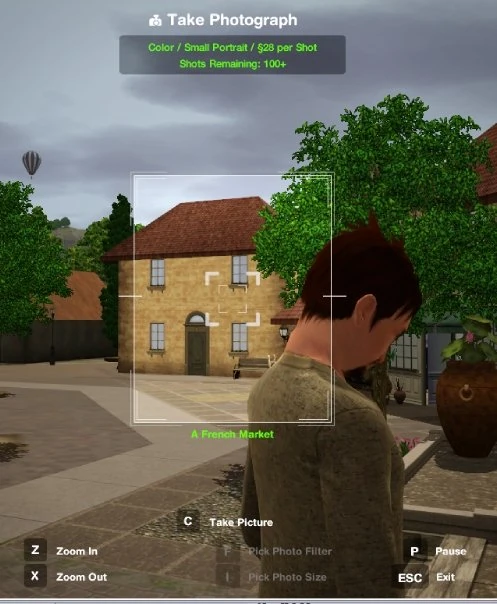
In-game camera interface.
Each time the player clicks on a camera in a Sim's inventory and selects "Take Photo" the camera interface will appear. It is relatively intuitive.
- Press C to take a photograph. If the game is paused the photo will not appear in the camera until it is unpaused.
- Press I to cycle through the available sizes of photo.
- Press F to cycle through the available photo filters.
- Press X/Z to zoom out or in on the subject.
If any of these options is greyed out, it means either the camera is not capable of them, or the Sim's skill is still too low.
Photo sizes
There are four sizes of photographs that relate to the photography skill, with one size that does not.
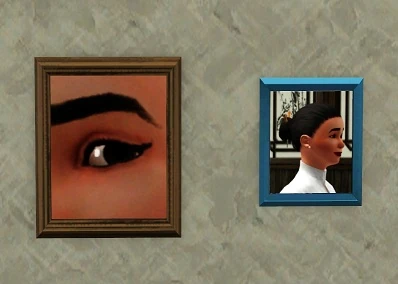
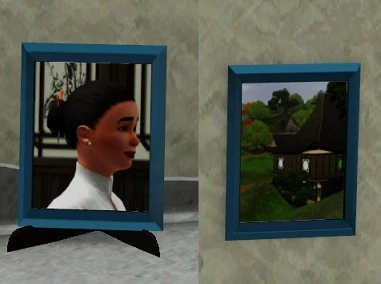
| Cellphone Snapshots | Small Portrait |
|---|---|
|
|
| Cellphone snapshots are actually larger and nicer than small portraits, but they do not contribute to the Photography skill. They all have medium wooden frames. | Small portraits are very tiny and portrait-oriented, and show relatively little detail of their subjects. All small portraits have a turquoise frame. This photo can sit on surfaces. |
| Medium Landscape | Large Portrait |
|---|---|
|
|
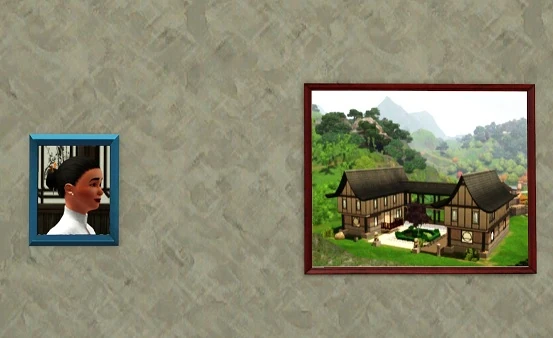
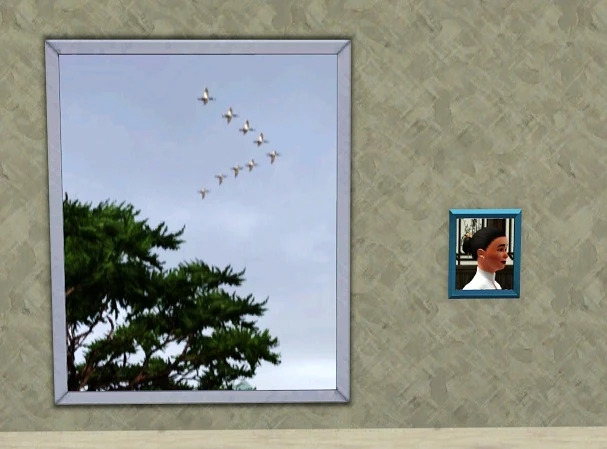
| Medium landscapes are reasonably sized, show a bit more detail, and are quite nice on display. They all have a dark brown frame. This photo can only be wall-mounted. They are slightly smaller than a floor tile in width. | Large portrait photos are very impressively sized, good for displaying legacy members. They can fit a lot of detail, and are reasonably expensive under the right conditions. They all have a silver frame. This photo can only be wall-mounted. |
- Panorama
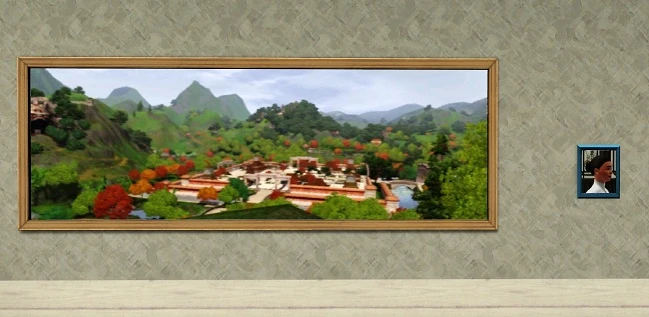
- Panorama photos are the largest and most profitable. They all have a wooden frame, and can fit broad regions or wide compositions as they are exactly three floor tiles in width.
Photo filters
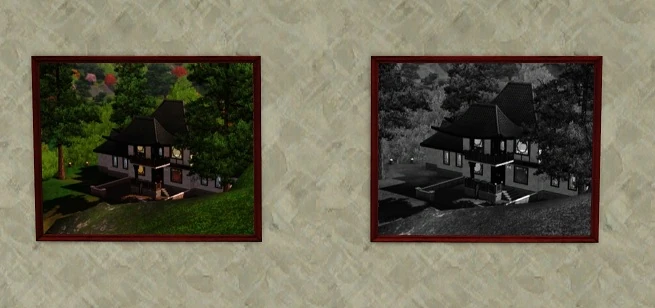
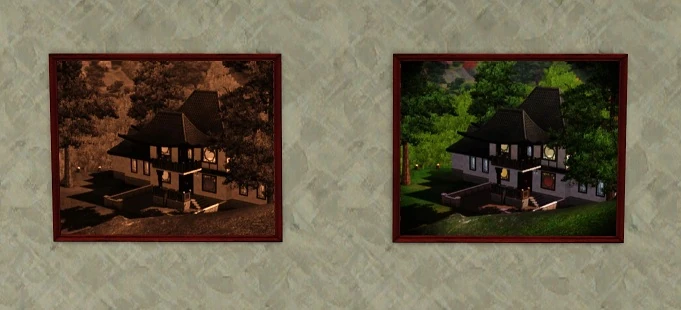
There are four filters that will affect the price of the resultant photos, but the better ones also make photos cost more to produce. These are, in order of expense:
- Color
- Black and White
- Sepiatone
- Classic Vignette
| Color and Black and White | Sepiatone and Classic Vignette |
|
|
Posing Sims
Using the "Ask Sim to Pose" interaction on any Sim will result in them standing still, and cycling through a variety of poses such as peace signs and placing their hands upon their hips, they will hold the pose for a few seconds and then stand normally for a few seconds before going on to the next pose. While a Sim is posing, you can use the "Do this Pose" interaction and they will only cycle between standing normally and the chosen pose.
Gallery


The Sims 4
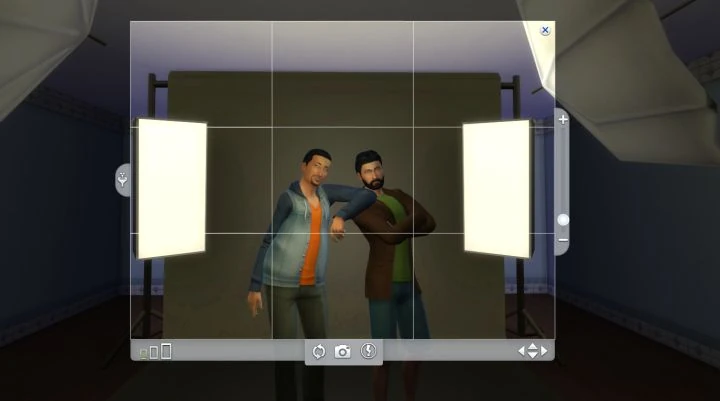

Photography used to be exclusive to The Sims 4: Get to Work, but was added to the base game in Patch 57. The skill allows players to earn some money or decorate their home with photos of their Sims' lives.
Cameras
There are three cameras, which can be purchased by going to Buy Mode > Objects by Room > Study > Hobbies & Skills. There, are the 3 Cameras offered. They're compared below. In general, the more the players are willing to pay, the better quality their photos, which affects price.
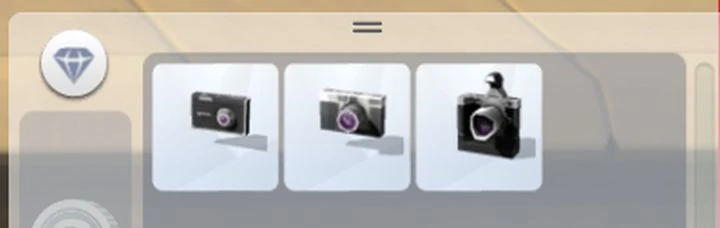

Three different Cameras may be purchased in Buy Mode. You can also use your Sim's phone to get started, but don't expect much money with bad pictures.
- Barely Better Digital Camera (§85) - Barely better than a phone. Landscape and Portrait modes, flash control. No zoom, small pictures available. Lowest quality.
- Appreciably Average Digital Camera (§670) - Landscape and Portrait modes, flash control. Zoom functionality available, medium pictures available. Medium quality photos.
- Crystal Clear Digital Camera (§2,015) - Landscape and Portrait modes, flash control, Zoom functionality, small to large pictures available. Best likelihood of 'Outstanding' Photos, even at low Skill.
Taking Pictures
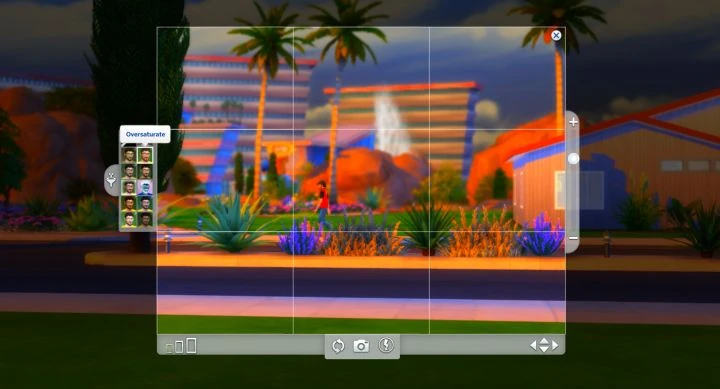

The left mouse is used for most of Photography's Controls
Taking photos is done by either clicking the phone and going to the Entertainment tab, or clicking the cameras in the Sim's inventory. Each use will give a base amount of experience, more if the Sim has the Inspired mood. There are a few options - 'Take Photo With', which will be a selfie with another Sim. 'Take Photo of..' to select a nearby Sim to have them pose for the player. And, 'Take Photo' to use the camera to take pictures of anything.
Photos can be hung on a wall, placed on a surface, or sold. They can also be framed, or have filters applied to alter how they look.
Photography controls
Controlling the camera is a little bit advanced. When in Photo Mode, the player must use the mouse wheel to zoom in and out (or else + and - on the keyboard). Also, the player may left-click to switch from moving the camera to controlling the mouse. This allows to change the orientation of the photo (landscape or portrait), change the picture size (small, medium, large photos), or disable the flash.
Click 'Show Filters' to the left of the photo control panel to apply filters to the picture, which can also be done once a photo has been taken. Pressing 'C' will take a picture instantly, or else the player can zoom and pan to their target with the arrow keys and use the left mouse button to click the take picture button.